 admin
admin 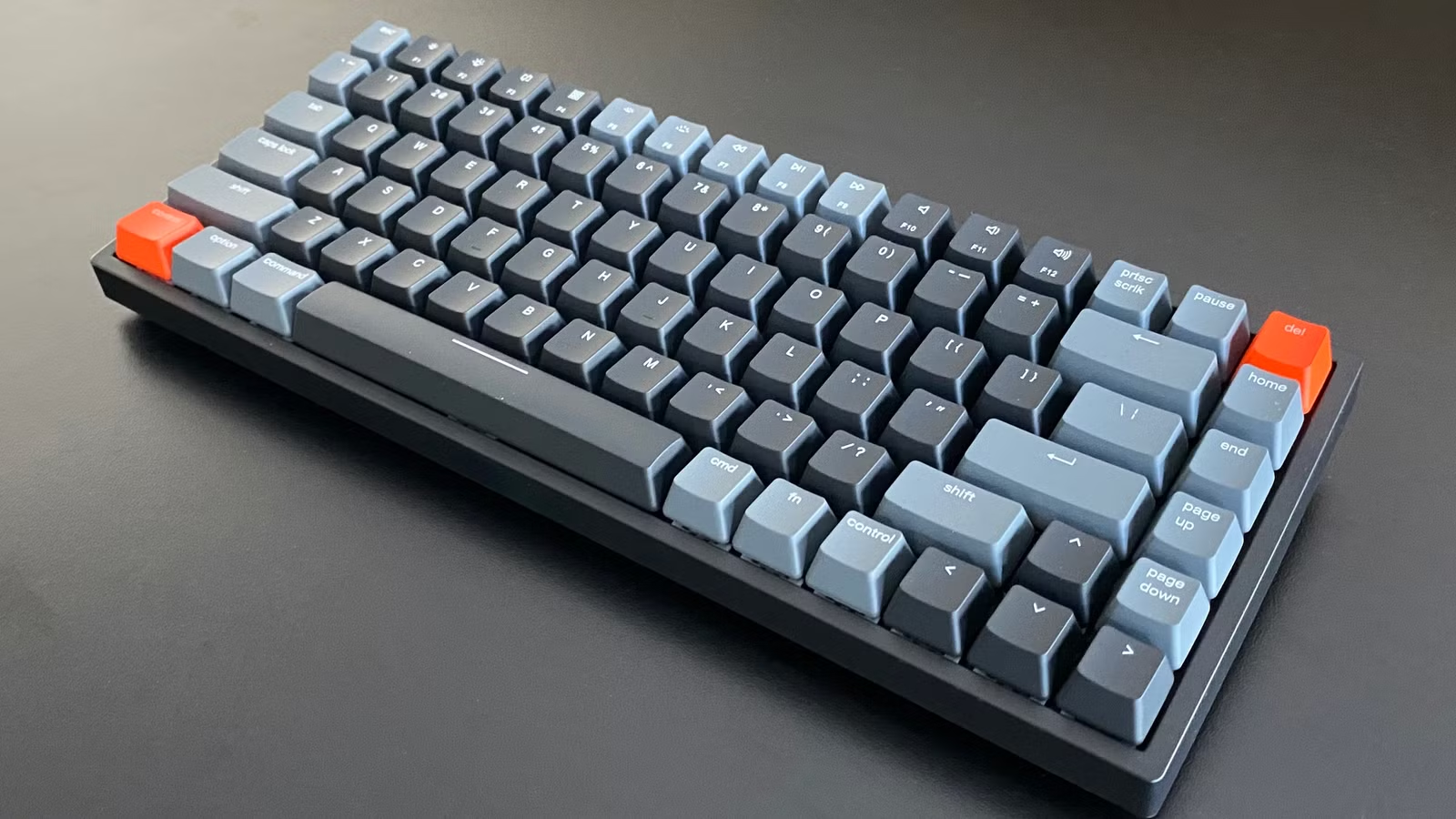
The demand for Wireless Keyboards has skyrocketed in recent years, especially as remote work, gaming, and multi-device setups have become more common. In 2026, the wireless mechanical keyboard market is more advanced than ever, offering lightning-fast connectivity, long battery life, and a premium typing experience that rivals traditional wired keyboards.
Gone are the days when wireless meant lag and unreliable connections. Today’s keyboards use Bluetooth 5.0, 2.4GHz wireless dongles, and low-latency technologies that make them perfect for gaming, office work, and content creation.
A wireless mechanical keyboard combines the tactile satisfaction of mechanical switches with the convenience of wireless connectivity. Whether you’re a gamer, programmer, or writer, choosing the right keyboard can significantly boost your productivity and comfort.
In this guide, we’ll explore the 10 best wireless mechanical keyboards of 2026, each reviewed in detail with features, pros, and cons.
Table of Contents
ToggleKey Points to Consider Before Buying a Wireless Mechanical Keyboard
Before purchasing a wireless mechanical keyboard, it’s important to carefully evaluate your needs, usage style, and budget. With so many Wireless Keyboards available in 2026, choosing the right one can feel overwhelming. Whether you’re a gamer, office worker, programmer, or casual user, understanding the key features will help you make a smarter decision.
Below are the most important factors you should consider before buying a wireless mechanical keyboard:
1. Connectivity Options
Connectivity is one of the most critical aspects of any wireless mechanical keyboard. Modern Wireless Keyboards usually offer multiple connection methods, and choosing the right one depends on how you plan to use your keyboard.
- Bluetooth Connectivity:
Ideal for users who work across multiple devices such as laptops, tablets, and smartphones. Bluetooth allows you to connect your keyboard to 2–3 devices and switch between them instantly, making it perfect for productivity and multitasking. - 2.4GHz Wireless (USB Dongle):
This option is best for gamers and users who require ultra-low latency. It provides a faster and more stable connection compared to Bluetooth, ensuring minimal input lag during gaming or fast typing sessions.
Many premium wireless mechanical keyboard models now offer dual or triple connectivity modes, giving you flexibility and convenience.
2. Battery Life
Battery life plays a major role in the overall experience of using Wireless Keyboards. A keyboard with poor battery performance can interrupt your workflow or gaming sessions.
- Some keyboards last 3–5 days with heavy usage and RGB lighting enabled.
- Others can last 2–4 weeks or even longer without lighting.
Keep in mind:
- RGB lighting significantly reduces battery life
- Low-profile keyboards often consume less power
- Larger keyboards may require more frequent charging
Look for a wireless mechanical keyboard with fast charging support (USB-C) and efficient power management. Some advanced models also include auto-sleep modes to extend battery life.
3. Switch Type
Switch type directly affects how your wireless mechanical keyboard feels and sounds. Choosing the right switch is essential for comfort and performance.
- Linear Switches:
Smooth keystrokes with no tactile bump. These are preferred by gamers because they allow fast and consistent key presses. - Tactile Switches:
Provide a noticeable bump when pressed, giving feedback without being too loud. These are ideal for typing, coding, and office work. - Clicky Switches:
Produce a loud “click” sound with each keystroke. These are satisfying to use but may not be suitable for shared environments.
Some advanced Wireless Keyboards allow hot-swapping, meaning you can change switches anytime without soldering. This feature is perfect for users who want to customize their typing experience.
4. Build Quality
The durability and feel of a wireless mechanical keyboard depend heavily on its build quality. A well-built keyboard not only lasts longer but also enhances your typing experience.
Premium keyboards typically include:
- Aluminum frames for strength and stability
- PBT keycaps, which are more durable and resistant to wear than ABS plastic
- Gasket-mounted designs for better sound and typing comfort
Budget Wireless Keyboards may use plastic builds, which are lighter but less durable. If you plan to use your keyboard daily for long hours, investing in a high-quality build is worth it.
5. Size & Layout
Wireless mechanical keyboards come in different sizes, and choosing the right layout depends on your workspace and usage needs.
- Full-size (100%)
Includes all keys, including a number pad. Best for office work, data entry, and accounting tasks. - Tenkeyless (TKL – 80%)
Removes the number pad, making the keyboard more compact while retaining essential keys. - Compact (60%–75%)
Smaller and more portable, ideal for minimal setups and travel. However, some keys are accessed through shortcuts.
Compact Wireless Keyboards are great for saving desk space, while full-size keyboards offer maximum functionality.
6. Customization Options
Customization is a major advantage of modern wireless mechanical keyboard models. If you enjoy personalizing your setup, this feature is essential.
Look for:
- Hot-swappable switches
- Programmable keys and macros
- RGB lighting customization
- Software support (QMK/VIA or brand software)
Customization allows you to tailor your Wireless Keyboard for gaming, productivity, or creative work.
7. Compatibility
Before buying a wireless mechanical keyboard, ensure it is compatible with your devices and operating systems.
Most modern keyboards support:
- Windows PCs
- macOS devices
- Android and iOS smartphones/tablets
Some keyboards even include dedicated Mac key layouts and switchable modes, making them ideal for Apple users.
If you frequently switch between devices, choose a keyboard with multi-device pairing for a seamless
How We Review Wireless Mechanical Keyboards
To provide accurate, unbiased, and practical recommendations, we follow a structured and hands-on testing process for every wireless mechanical keyboard featured in this guide. With so many Wireless Keyboards available in 2026, our goal is to ensure that each product is evaluated based on real-world performance rather than just specifications.
We test each wireless mechanical keyboard across multiple categories, including gaming, office work, and everyday use. This helps us understand how well the keyboard performs in different scenarios and whether it truly delivers value to users.
Below is a detailed breakdown of our review criteria:
Performance
Performance is one of the most critical factors when reviewing Wireless Keyboards, especially for gamers and professionals who rely on speed and accuracy.
We carefully test:
- Latency (input delay): How quickly the keyboard registers keystrokes
- Connection stability: Whether the connection drops or lags over time
- Responsiveness: Consistency of key registration during fast typing or gaming
We test both:
- Bluetooth mode (for everyday use and multi-device setups)
- 2.4GHz wireless mode (for low-latency gaming performance)
A high-quality wireless mechanical keyboard should deliver near-zero lag and a stable connection, even during intense usage.
Typing Experience
The typing experience is what truly defines a great wireless mechanical keyboard. We spend hours typing on each keyboard to evaluate comfort, feel, and sound.
We analyze:
- Key Feel:
Whether the switches feel smooth, tactile, or clicky, and how consistent they are across all keys - Sound Profile:
The acoustic feedback of the keyboard (quiet, thocky, or clicky). This is important for both personal preference and office environments - Comfort for Long Sessions:
We test how comfortable the keyboard is during extended typing sessions, including key height, spacing, and ergonomics
We also consider whether the keyboard causes fatigue over time, which is especially important for writers, programmers, and office users.
Build Quality
A durable build is essential for long-term use. When reviewing Wireless Keyboards, we carefully inspect the materials and overall construction.
We check:
- Frame Material: Aluminum vs plastic
- Keycap Quality: PBT vs ABS (PBT is more durable and resistant to shine)
- Stability: Whether the keyboard flexes or feels solid
- Switch Mounting Style: (plate-mounted, gasket-mounted, etc.)
Premium wireless mechanical keyboard models usually feature stronger materials and better construction, resulting in a more satisfying and long-lasting experience.
Battery Life
Battery performance is a key factor in the usability of Wireless Keyboards. We test each keyboard in real-world conditions to determine how long it actually lasts.
Our testing includes:
- Usage with RGB lighting ON
- Usage with RGB lighting OFF
- Mixed daily usage scenarios (typing, browsing, gaming)
We also evaluate:
- Charging speed (USB-C vs older ports)
- Power-saving features like auto-sleep mode
A good wireless mechanical keyboard should offer reliable battery life that matches or exceeds the manufacturer’s claims.
Features
Modern Wireless Keyboards come with a wide range of features, and we assess how useful and well-implemented they are.
We evaluate:
- RGB Lighting:
Brightness, effects, customization options - Software Support:
Ease of use, customization options, macro programming, and compatibility with tools like QMK/VIA - Multi-Device Support:
Ability to connect and switch between multiple devices seamlessly - Extra Features:
Dedicated media controls, programmable keys, hot-swappable switches, and onboard memory
We focus on features that enhance real-world usability rather than just marketing claims.
Value for Money
Finally, we assess whether a wireless mechanical keyboard is worth its price. Not every expensive keyboard is the best, and not every budget keyboard is a compromise.
We compare:
- Price vs performance
- Features vs competitors
- Build quality vs cost
Our goal is to recommend Wireless Keyboards that offer the best balance between performance, features, and affordability.
The 10 Best Wireless Mechanical Keyboards of 2026
1. Keychron Q1 Pro – Best Overall Wireless Mechanical Keyboard
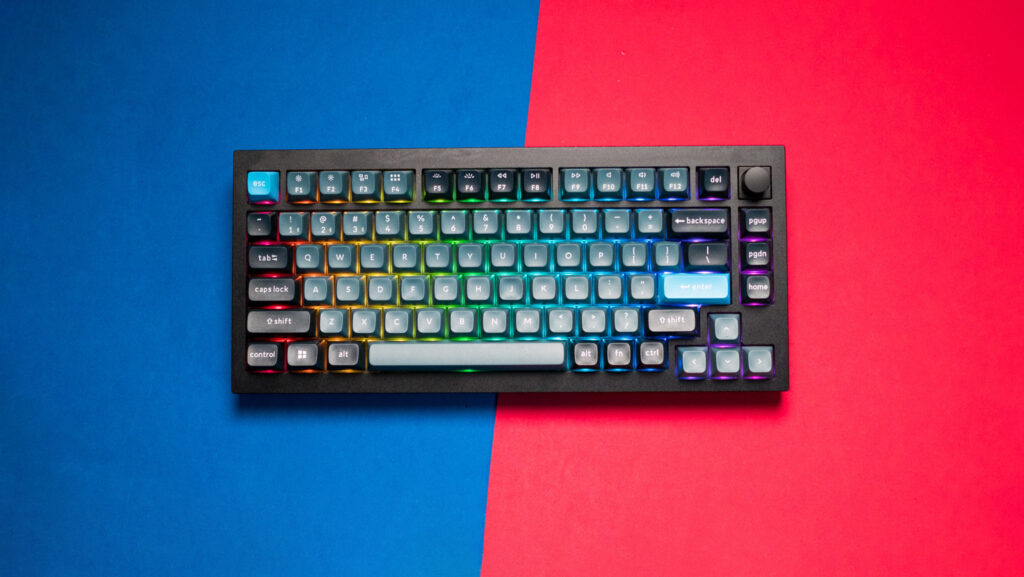
The Keychron Q1 Pro stands out as the best overall wireless mechanical keyboard in 2026. It’s designed for users who want premium quality, customization, and excellent typing performance in one package.
This keyboard features a full aluminum body, giving it a sturdy and premium feel. Unlike many plastic Wireless Keyboards, the Q1 Pro feels solid and durable, making it perfect for long-term use. Its weight also prevents it from sliding during intense typing or gaming sessions.
One of its biggest strengths is the hot-swappable PCB, allowing users to easily change switches without soldering. This makes it highly customizable and ideal for keyboard enthusiasts. The keyboard supports both Bluetooth and 2.4GHz wireless connectivity, ensuring smooth performance across multiple devices.
Typing on the Q1 Pro is a satisfying experience thanks to its gasket-mounted design, which reduces vibration and creates a deep, “thocky” sound. It also supports QMK/VIA software, allowing advanced customization such as macros and key remapping.
Battery life is impressive, lasting several days even with RGB lighting enabled. It works seamlessly with both macOS and Windows.
Features
- Aluminum build
- Hot-swappable switches
- Bluetooth + 2.4GHz
- QMK/VIA support
Pros
- Premium build quality
- Excellent typing experience
- Highly customizable
Cons
- Expensive
- Heavy
2. NuPhy Air75 V2 – Best Compact Wireless Keyboard
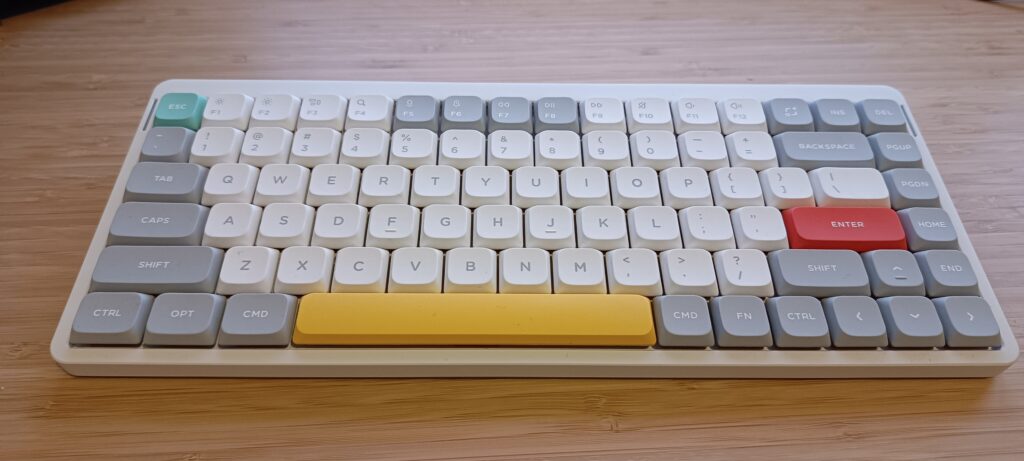
The NuPhy Air75 V2 is perfect for users who want a slim and portable wireless mechanical keyboard without sacrificing performance.
This keyboard features low-profile mechanical switches, which provide a faster typing experience compared to traditional switches. The reduced key travel makes it ideal for users who type quickly or work long hours.
Its compact 75% layout saves desk space while still retaining essential keys. It also supports multi-device connectivity, allowing users to switch between laptops, tablets, and smartphones effortlessly.
Despite its slim design, the build quality is excellent. It’s lightweight yet durable, making it perfect for travel. The RGB lighting adds a stylish touch without being too distracting.
Battery life is solid, lasting several days depending on usage.
Features
- Low-profile switches
- Multi-device Bluetooth
- Lightweight design
Pros
- Portable
- Fast typing
- Great for Mac users
Cons
- Limited customization
- Not ideal for gaming
3. Razer BlackWidow V3 Pro – Best Gaming Wireless Keyboard
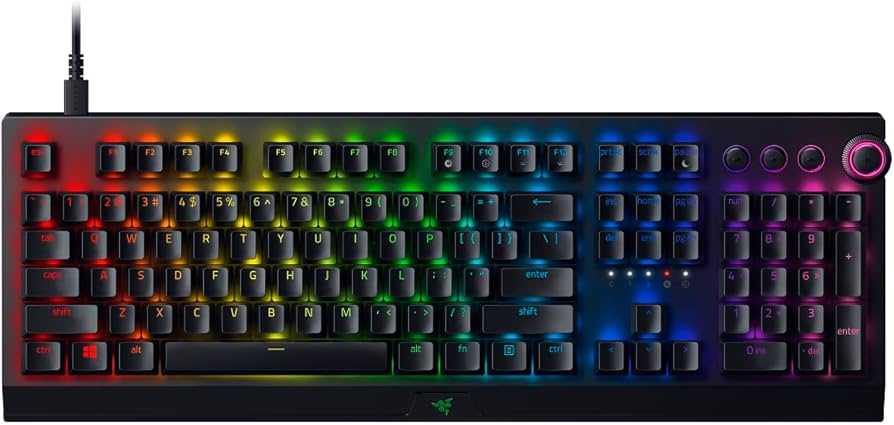
The Razer BlackWidow V3 Pro is built for gamers who need a reliable wireless mechanical keyboard with low latency.
It uses Razer’s advanced wireless technology to deliver near-zero lag, making it suitable for competitive gaming. The keyboard is available with Green (clicky) or Yellow (linear) switches.
The full-size layout includes media controls and a comfortable wrist rest. RGB lighting is fully customizable using Razer Synapse software.
Features
- Low-latency wireless
- RGB lighting
- Wrist rest
Pros
- Excellent gaming performance
- Comfortable
Cons
- Expensive
- Battery drains with RGB
4. Logitech MX Mechanical – Best for Productivity
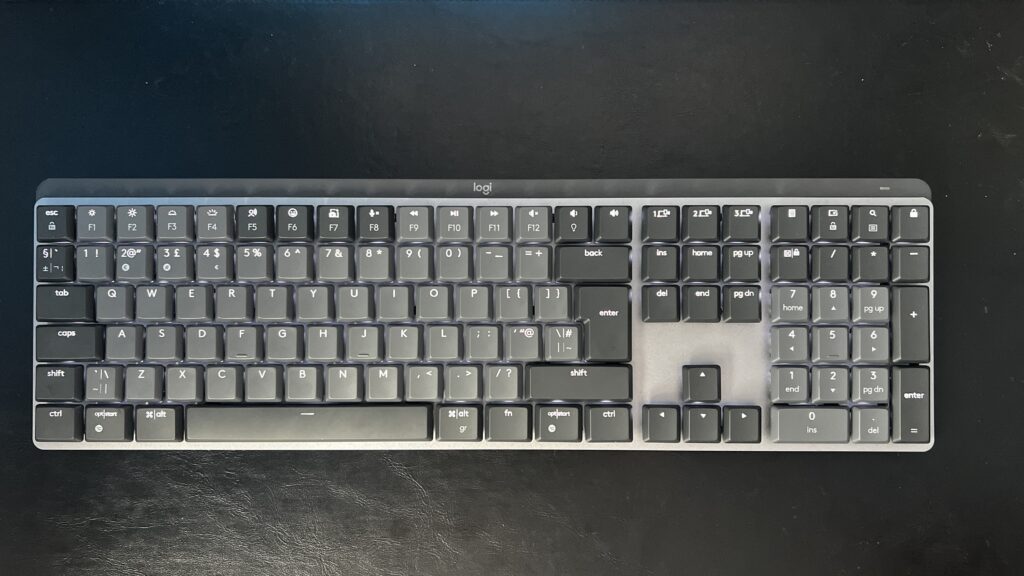
The Logitech MX Mechanical is designed for professionals who want a quiet and efficient wireless mechanical keyboard.
It features smart backlighting, which adjusts automatically based on ambient light. The keyboard also supports multi-device switching, making it ideal for office use.
Features
- Smart illumination
- Multi-device support
Pros
- Quiet typing
- Long battery life
Cons
- Limited customization
5. Corsair K100 Air Wireless – Best Low-Profile Gaming Keyboard
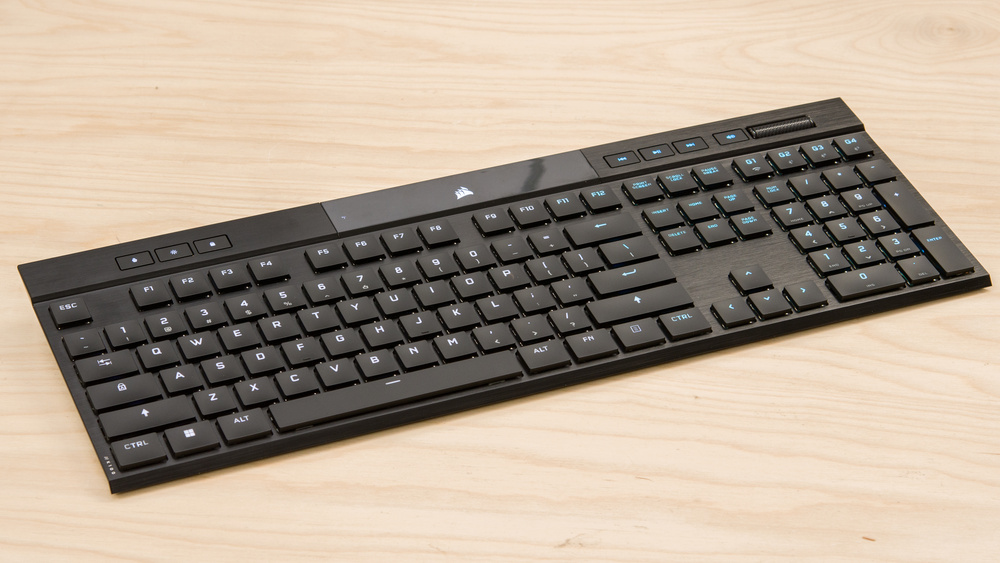
The Corsair K100 Air Wireless is one of the most advanced low-profile Wireless Keyboards designed specifically for gamers who want both speed and portability. This wireless mechanical keyboard stands out due to its ultra-slim design combined with powerful performance, making it ideal for users who prefer a sleek setup without compromising on responsiveness.
Unlike traditional mechanical keyboards, the K100 Air features ultra-thin mechanical switches, which provide faster actuation and reduced travel distance. This results in quicker keystrokes, which can give gamers a competitive edge in fast-paced games. It supports multiple connectivity options, including low-latency 2.4GHz wireless, Bluetooth, and wired mode, ensuring flexibility across different devices.
Despite its slim design, the keyboard maintains excellent build quality, with a premium aluminum frame that adds durability and stability. RGB lighting is fully customizable, and the keyboard integrates seamlessly with Corsair’s software for advanced controls and macros.
Features
- Ultra-thin low-profile design
- High-speed wireless performance
- Multi-device connectivity (Bluetooth + 2.4GHz)
- Premium aluminum build
Pros
- Extremely fast and responsive
- Sleek and modern design
- Great for gaming and travel
Cons
- Expensive compared to competitors
- Low-profile keys may not suit everyone
6. Keychron K8 Pro – Best Budget Wireless Mechanical Keyboard
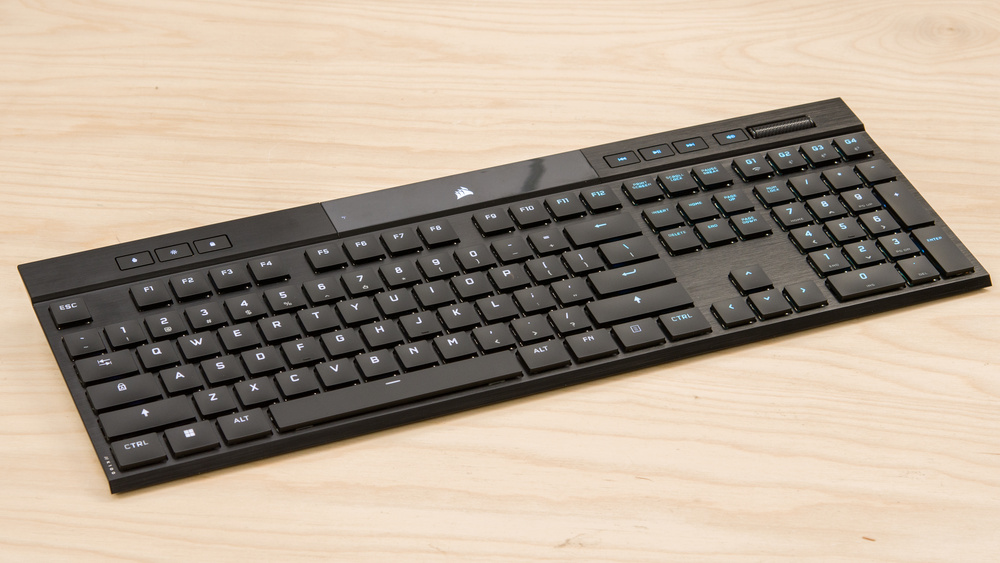
The Keychron K8 Pro is a fantastic entry point into the world of wireless mechanical keyboard options, offering excellent features at an affordable price. Among budget Wireless Keyboards, it stands out for delivering a high-quality typing experience without breaking the bank.
This keyboard features a tenkeyless (TKL) layout, which removes the number pad to save space while retaining essential keys. It supports Bluetooth connectivity, allowing users to connect with multiple devices, including laptops, tablets, and smartphones.
One of its biggest advantages is the hot-swappable PCB, enabling users to easily change switches without soldering. This feature is rarely found in budget Wireless Keyboards, making the K8 Pro highly customizable.
The typing experience is smooth and satisfying, especially considering its price range. While it uses a plastic body, the overall build is still solid and reliable for daily use.
Features
- Hot-swappable switches
- Bluetooth multi-device support
- RGB backlighting
- TKL compact layout
Pros
- Affordable price
- Great typing experience
- Customization options
Cons
- Plastic build
- Average battery performance
7. ASUS ROG Strix Scope II 96 – Best Customizable Keyboard
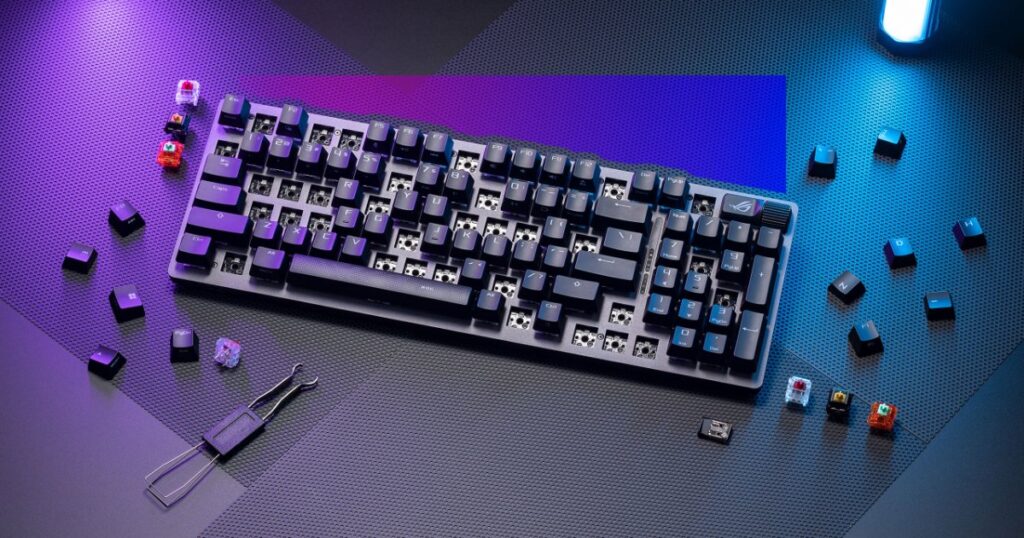
The ASUS ROG Strix Scope II 96 Wireless is designed for users who want a highly customizable wireless mechanical keyboard with a unique layout. It combines the functionality of a full-size keyboard with a more compact design, making it a versatile choice among modern Wireless Keyboards.
This keyboard features a 96% layout, which includes a number pad while reducing overall size. It’s perfect for users who need productivity features but also want to save desk space.
Customization is one of its strongest points. It supports hot-swappable switches, allowing users to experiment with different switch types. The keyboard also offers excellent battery life and multiple connectivity options, including Bluetooth and 2.4GHz wireless.
The build quality is solid, and the keyboard feels durable enough for long-term use. It also includes advanced gaming features, making it suitable for both gamers and professionals.
Features
- 96% compact full-function layout
- Hot-swappable switches
- Long battery life
- Dual wireless connectivity
Pros
- Highly customizable
- Space-saving design
- Strong performance
Cons
- Layout may feel crowded for some users
- Slight learning curve
8. Lofree Block – Best Aesthetic Keyboard
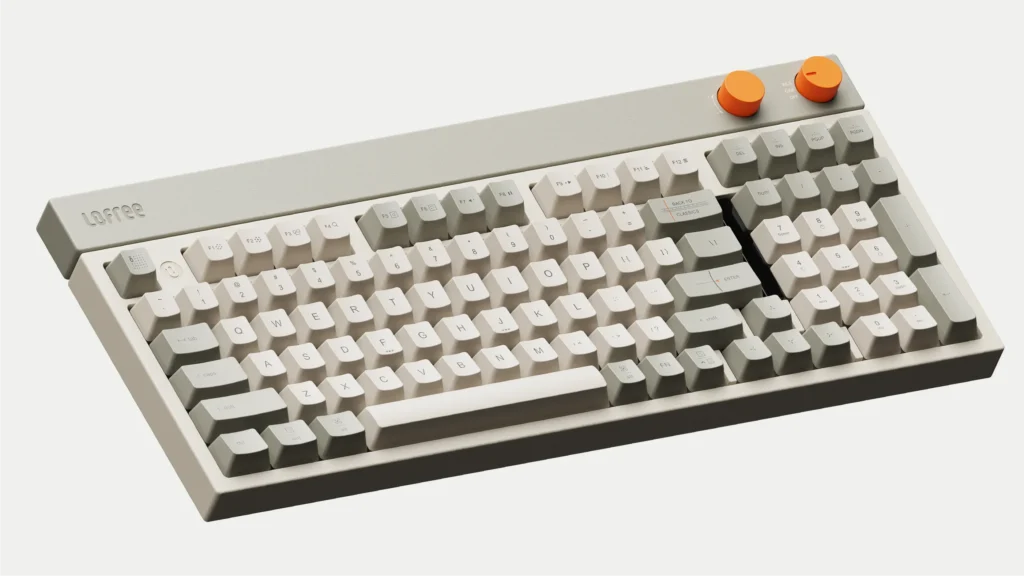
The Lofree Block is one of the most visually appealing Wireless Keyboards available in 2026. This wireless mechanical keyboard is perfect for users who prioritize aesthetics along with performance.
Inspired by retro design elements, the keyboard features colorful keycaps and a unique layout that stands out on any desk. It’s ideal for creative professionals, designers, and users who want their setup to look stylish and modern.
Despite its focus on design, the Lofree Block still delivers a solid typing experience. The mechanical switches provide satisfying feedback, and the keyboard supports wireless connectivity for convenience.
While it may not offer as many advanced features as high-end models, it excels in creating a unique user experience that combines style and functionality.
Features
- Retro-inspired design
- Wireless connectivity
- Mechanical switches
- Compact form factor
Pros
- Unique and eye-catching design
- Comfortable typing experience
- Lightweight and portable
Cons
- Expensive for its features
- Limited customization options
9. Logitech G915 Lightspeed – Best Battery Life
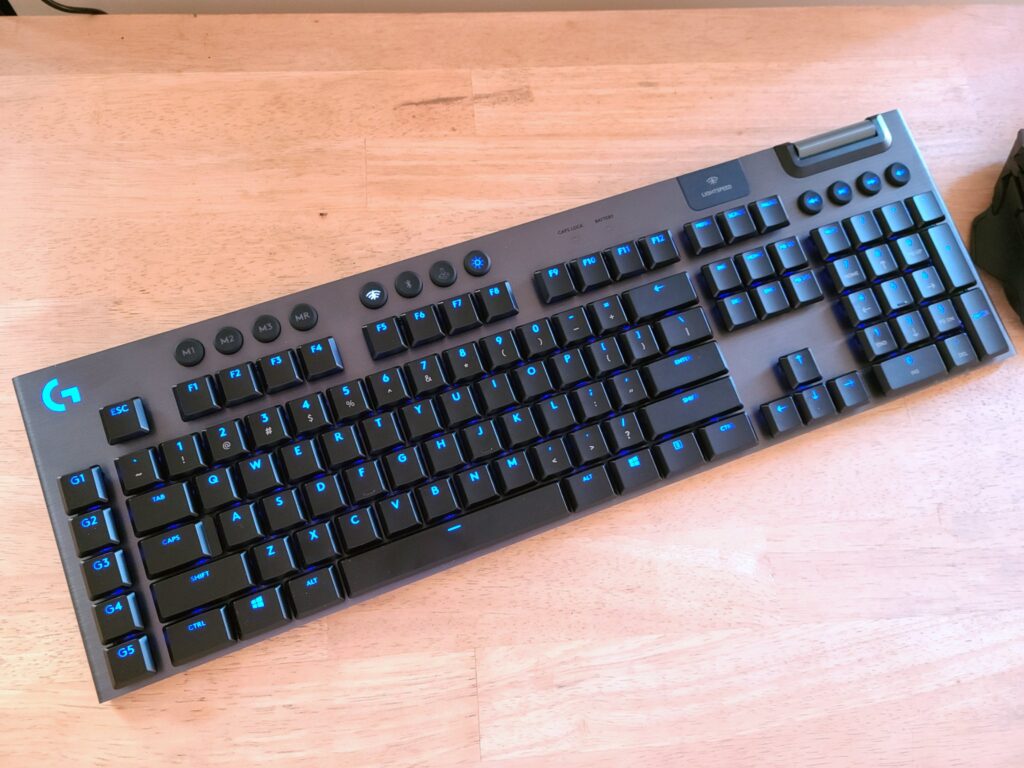
The Logitech G915 Lightspeed is one of the most reliable Wireless Keyboards when it comes to battery performance and connectivity. This premium wireless mechanical keyboard is designed for users who need long-lasting performance without frequent charging.
It features Lightspeed wireless technology, which provides ultra-fast and stable connectivity, making it suitable for both gaming and professional use. The keyboard also has a slim and elegant design, with low-profile mechanical switches that offer a fast typing experience.
One of its standout features is its exceptional battery life, which can last for days or even weeks depending on usage and RGB settings. This makes it ideal for users who prefer a low-maintenance setup.
Features
- Lightspeed wireless technology
- Slim low-profile design
- Long battery life
- RGB lighting
Pros
- Excellent battery performance
- Fast and stable connection
- Premium design
Cons
- Expensive
- Limited key travel
10. Keychron K2 Pro – Best Portable Wireless Mechanical Keyboard
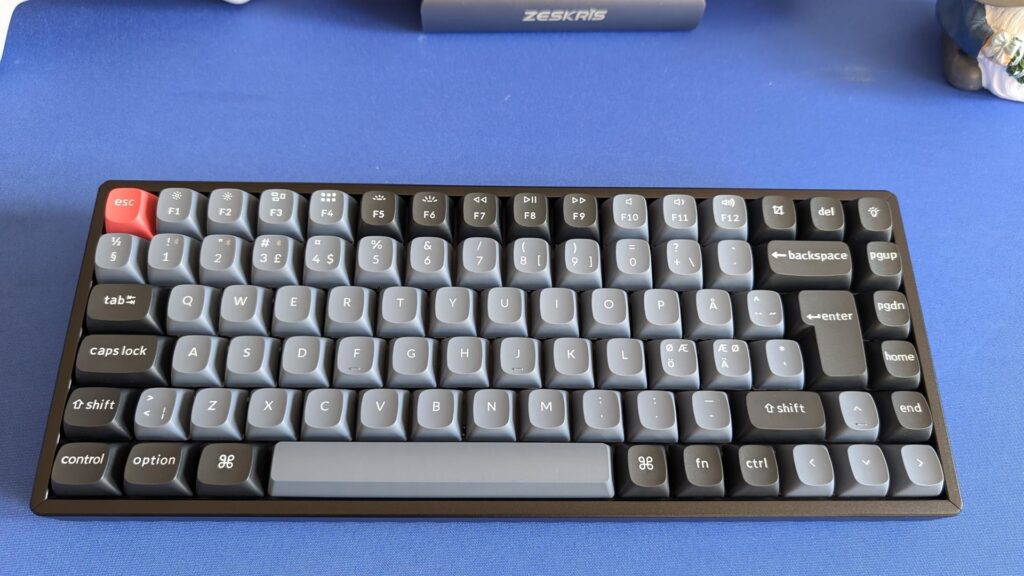
The Keychron K2 Pro is a compact and versatile wireless mechanical keyboard that is perfect for users who need portability without sacrificing performance. Among compact Wireless Keyboards, it strikes a great balance between size, features, and usability.
This keyboard features a 75% layout, which retains essential keys while reducing overall size. It’s ideal for users who work in small spaces or travel frequently.
The K2 Pro supports Bluetooth connectivity, allowing easy pairing with multiple devices. It also includes RGB lighting and offers a satisfying typing experience with its mechanical switches.
Although it has a slightly thicker design compared to ultra-slim keyboards, it remains highly portable and durable.
Features
- 75% compact layout
- Bluetooth connectivity
- RGB lighting
- Multi-device support
Pros
- Portable and space-saving
- Good battery life
- Solid performance
Cons
- Slightly thick design
- No dedicated wrist rest
Final Thoughts
Choosing the right wireless mechanical keyboard ultimately depends on your personal needs, preferences, and usage style. With so many advanced Wireless Keyboards available in 2026, there is something for everyone—whether you are a gamer, professional, or casual user.
If you are focused on gaming performance, the Razer BlackWidow V3 Pro offers low latency and responsiveness. For office work and productivity, the Logitech MX Mechanical provides a quiet and efficient typing experience. If you want the best overall wireless mechanical keyboard, the Keychron Q1 Pro stands out with its premium build and customization features. Meanwhile, budget-conscious users can rely on the Keychron K8 Pro for excellent value.
Modern Wireless Keyboards have reached a level where they can easily compete with wired keyboards in terms of speed, reliability, and performance. They also offer added benefits like portability, multi-device connectivity, and cleaner desk setups.
As technology continues to improve, investing in a high-quality wireless mechanical keyboard is no longer a luxury—it’s a smart upgrade for anyone looking to enhance their typing, gaming, or work experience in 2026.