 admin
admin 
The gaming industry continues to push the boundaries of visual realism, and 8K gaming represents the next major leap in gaming technology. With a stunning resolution of 7680 × 4320 pixels, 8K gaming delivers extraordinary image clarity, ultra-sharp textures, and an unmatched level of immersion. Every detail—from distant mountains and intricate character models to realistic reflections and shadows—appears more lifelike than ever before.
However, achieving smooth gameplay at 8K resolution is one of the most demanding challenges for modern gaming hardware. Rendering over 33 million pixels per frame requires immense processing power, advanced cooling solutions, high-speed memory, and carefully optimized software settings. Even the most expensive gaming PCs can struggle to maintain consistent frame rates if they are not configured correctly.
Many gamers invest thousands of dollars in high-end components but fail to unlock their system’s full potential because they overlook critical optimization steps. Factors such as outdated drivers, inefficient cooling, poor airflow, incorrect BIOS settings, background applications, and unoptimized game settings can significantly reduce gaming performance.
This comprehensive guide explains everything you need to know about optimizing your gaming PC for 8K gaming. Whether you’re building a new gaming rig or upgrading an existing one, these proven techniques will help you maximize FPS, reduce input lag, eliminate stuttering, and enjoy a smoother gaming experience.
Table of Contents
ToggleUnderstanding What Makes 8K Gaming So Demanding
Before optimizing your system, it is important to understand why 8K gaming requires so much computing power.
An 8K display contains:
- 33.2 million pixels
- Four times the pixel count of 4K
- Sixteen times the pixel count of 1080p
This means your graphics card must process an enormous amount of visual data every second.
For example:
Resolution | Pixel Count |
1080p | 2.07 Million |
1440p | 3.68 Million |
4K | 8.29 Million |
8K | 33.18 Million |
At 60 FPS, your GPU may need to process nearly 2 billion pixels every second. At 120 FPS, that requirement doubles.
As game developers continue introducing advanced technologies such as ray tracing, path tracing, volumetric lighting, and high-resolution textures, hardware demands increase even further.
Because of this, optimizing every aspect of your gaming PC becomes essential.
Choosing the Right Graphics Card for 8K Gaming
The graphics card is the most important component in any 8K gaming setup.
Even if you have the fastest processor available, a weak GPU will prevent smooth gameplay.
Recommended GPUs for 8K Gaming
Top-tier graphics cards include:
- NVIDIA GeForce RTX 5090
- NVIDIA GeForce RTX 5080
- NVIDIA GeForce RTX 4090
- AMD Radeon RX 8900 XTX
- AMD Radeon RX 7900 XTX
These cards provide enough raw processing power and VRAM to handle demanding 8K workloads.
Why VRAM Matters
Video memory stores:
- Textures
- Shaders
- Frame buffers
- Ray tracing data
At 8K resolution, modern games can consume enormous amounts of VRAM.
Recommended VRAM:
- Minimum: 16GB
- Recommended: 24GB
- Ideal for future games: 32GB+
Insufficient VRAM often causes:
- Texture pop-in
- Stuttering
- FPS drops
- Game crashes
Investing in a GPU with higher VRAM capacity helps ensure long-term performance.
Eliminating CPU Bottlenecks
Although the GPU handles graphics rendering, the CPU remains critical.
The processor manages:
- AI calculations
- Physics simulations
- NPC behavior
- Game logic
- Asset streaming
A weak processor can create bottlenecks even when using a powerful graphics card.
Recommended CPUs
AMD Options
- Ryzen 9 9950X
- Ryzen 9 9900X
- Ryzen 7 X3D Series
Intel Options
- Core Ultra 9 Series
- Core i9 Series
- High-end gaming-focused processors
Benefits of Modern CPUs
A powerful processor provides:
- Better frame consistency
- Faster loading
- Reduced stuttering
- Improved minimum FPS
Many gamers focus only on average FPS, but minimum FPS is equally important because it affects smoothness during intense gameplay.
Optimizing RAM for Maximum Gaming Performance
RAM acts as temporary storage for game data.
Insufficient memory can create serious performance issues.
Recommended Capacity
For modern 8K gaming:
- 32GB minimum
- 64GB recommended
- 128GB for content creators and streamers
DDR4 vs DDR5
DDR5 offers:
- Higher bandwidth
- Faster speeds
- Better future compatibility
Recommended speed:
- 6000MHz to 7200MHz
Enable XMP or EXPO
Many users purchase fast memory but never activate its full speed.
Enable:
- XMP (Intel)
- EXPO (AMD)
through BIOS settings to unlock advertised performance.
This simple step alone can improve gaming responsiveness.
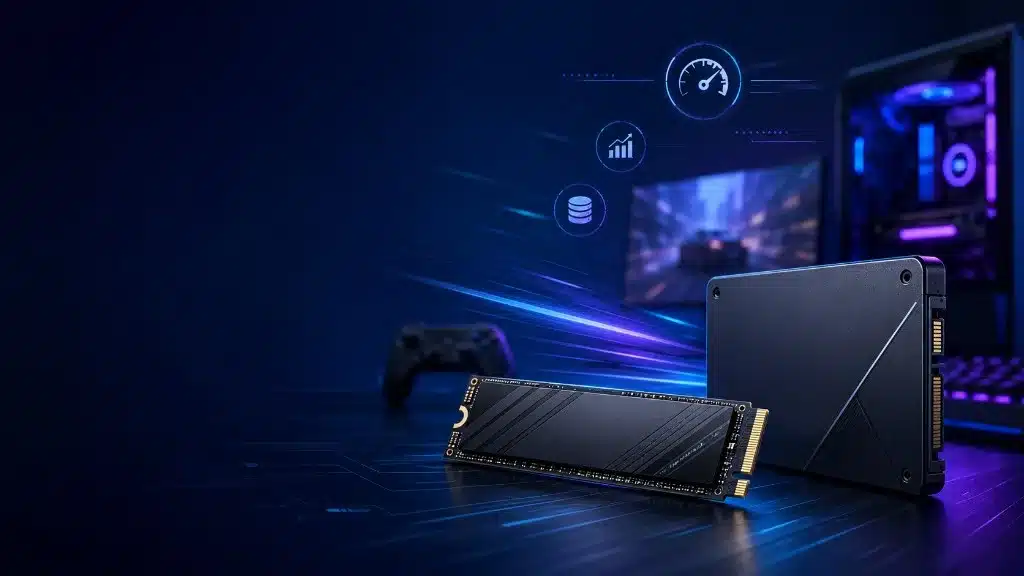
Installing High-Speed NVMe SSD Storage
Storage speed directly impacts modern gaming performance.
Today’s games constantly stream textures, environments, and assets while you play.
Traditional hard drives cannot keep up.
Recommended Storage Types
PCIe Gen 4 NVMe SSD
Excellent performance for most gamers.
PCIe Gen 5 NVMe SSD
Ideal for enthusiasts seeking maximum performance.
Benefits include:
- Faster game launches
- Reduced loading screens
- Faster texture streaming
- Improved open-world gaming
Games such as massive RPGs and open-world titles benefit significantly from faster storage solutions.
Using DLSS, FSR, and XeSS to Improve FPS
NVIDIA DLSS
Deep Learning Super Sampling uses AI to generate high-quality images while rendering fewer pixels.
Benefits:
- Massive FPS improvements
- Better ray tracing performance
- Excellent visual quality
AMD FSR
FidelityFX Super Resolution provides:
- Cross-platform compatibility
- Improved frame rates
- Lower GPU workload
Intel XeSS
XeSS combines AI and temporal reconstruction techniques to improve gaming performance.
Most gamers can gain 30% to 100% more FPS simply by enabling these technologies.
Optimizing Graphics Settings for Better Performance
Many graphics settings consume large amounts of resources while offering minimal visual improvements.
Shadows
Lowering shadow quality often delivers substantial FPS gains.
Reflections
Screen-space and ray-traced reflections can heavily impact performance.
Ambient Occlusion
Medium settings often provide the best balance.
Volumetric Lighting
Volumetric fog and cloud effects can significantly reduce FPS.
Motion Blur
Disabling motion blur improves clarity and responsiveness.
Depth of Field
Many competitive gamers disable this feature entirely.
Fine-tuning these settings can dramatically improve performance without noticeably reducing image quality.
Ray Tracing Optimization
Ray tracing creates realistic:
- Reflections
- Shadows
- Lighting
- Global illumination
However, it is extremely demanding.
For 8K gaming:
- Use Medium settings
- Combine with DLSS
- Disable unnecessary ray-traced effects
This approach provides excellent visuals while maintaining playable frame rates.
Improving Cooling and Thermal Performance
Heat is one of the biggest enemies of gaming performance.
When temperatures rise too high, components reduce clock speeds to protect themselves.
This process is called thermal throttling.
Improve Case Airflow
Use:
- Front intake fans
- Rear exhaust fans
- Top-mounted exhaust fans
Maintain a balanced airflow configuration.
Upgrade CPU Cooling
Options include:
- Air coolers
- 240mm AIO liquid coolers
- 360mm AIO liquid coolers
- Custom water cooling systems
Replace Thermal Paste
High-quality thermal paste improves heat transfer and can lower temperatures significantly.
Windows Optimization for 8K Gaming
Windows includes several gaming-focused features.
Enable Game Mode
Game Mode prioritizes gaming processes and reduces interruptions.
Disable Startup Programs
Remove unnecessary applications that consume resources.
Enable Hardware-Accelerated GPU Scheduling
Benefits include:
- Lower latency
- Improved responsiveness
- Better GPU efficiency
Update Windows Regularly
Updates often include:
- Security improvements
- Performance enhancements
- Gaming optimizations
Overclocking Your GPU and CPU
Overclocking increases component operating speeds.
Benefits include:
- Higher FPS
- Faster rendering
- Better responsiveness
However, overclocking requires:
- Adequate cooling
- Stability testing
- Careful monitoring
Tools such as MSI Afterburner make GPU overclocking relatively straightforward.
Reducing Input Lag for Competitive Gaming
Even at 8K resolution, responsiveness matters.
Reduce input lag by:
- Using wired peripherals
- Enabling NVIDIA Reflex
- Enabling AMD Anti-Lag
- Using high-refresh-rate displays
- Reducing unnecessary background applications
These adjustments improve overall gameplay responsiveness.
Monitoring Performance Like a Pro
Performance monitoring helps identify bottlenecks.
Recommended software:
- MSI Afterburner
- HWInfo
- GPU-Z
- CapFrameX
- RTSS
Track:
- GPU temperatures
- CPU temperatures
- GPU utilization
- CPU utilization
- Frame times
- Memory usage
Monitoring allows you to make informed optimization decisions.
- ✓ Test stream settings
- ✓ Monitor temperatures
- ✓ Confirm OBS configuration
- ✓ Run a short test stream
Following this checklist helps avoid technical issues during live broadcasts.
Future-Proofing Your Gaming PC
Gaming technology evolves rapidly.
To stay prepared:
- Buy higher-capacity SSDs
- Choose a powerful PSU
- Invest in DDR5 memory
- Select a motherboard with future upgrade support
- Purchase GPUs with larger VRAM capacities
Future-proofing reduces upgrade costs over time and keeps your system relevant for years.
Conclusion
Optimizing a gaming PC for 8K gaming involves much more than simply purchasing expensive hardware. True performance comes from balancing powerful components with smart optimization techniques. By selecting a high-end GPU, upgrading your CPU, installing fast DDR5 memory, using NVMe SSDs, improving cooling, enabling AI upscaling technologies, and fine-tuning graphics settings, you can achieve smoother gameplay and maximize the potential of your gaming system.
As 8K gaming continues to grow, gamers who optimize their systems properly will enjoy higher frame rates, better image quality, lower latency, and a significantly more immersive gaming experience. Whether you’re playing AAA titles, competitive esports games, or exploring visually stunning open worlds, these optimization strategies will help ensure your PC is ready for the future of gaming.