 admin
admin 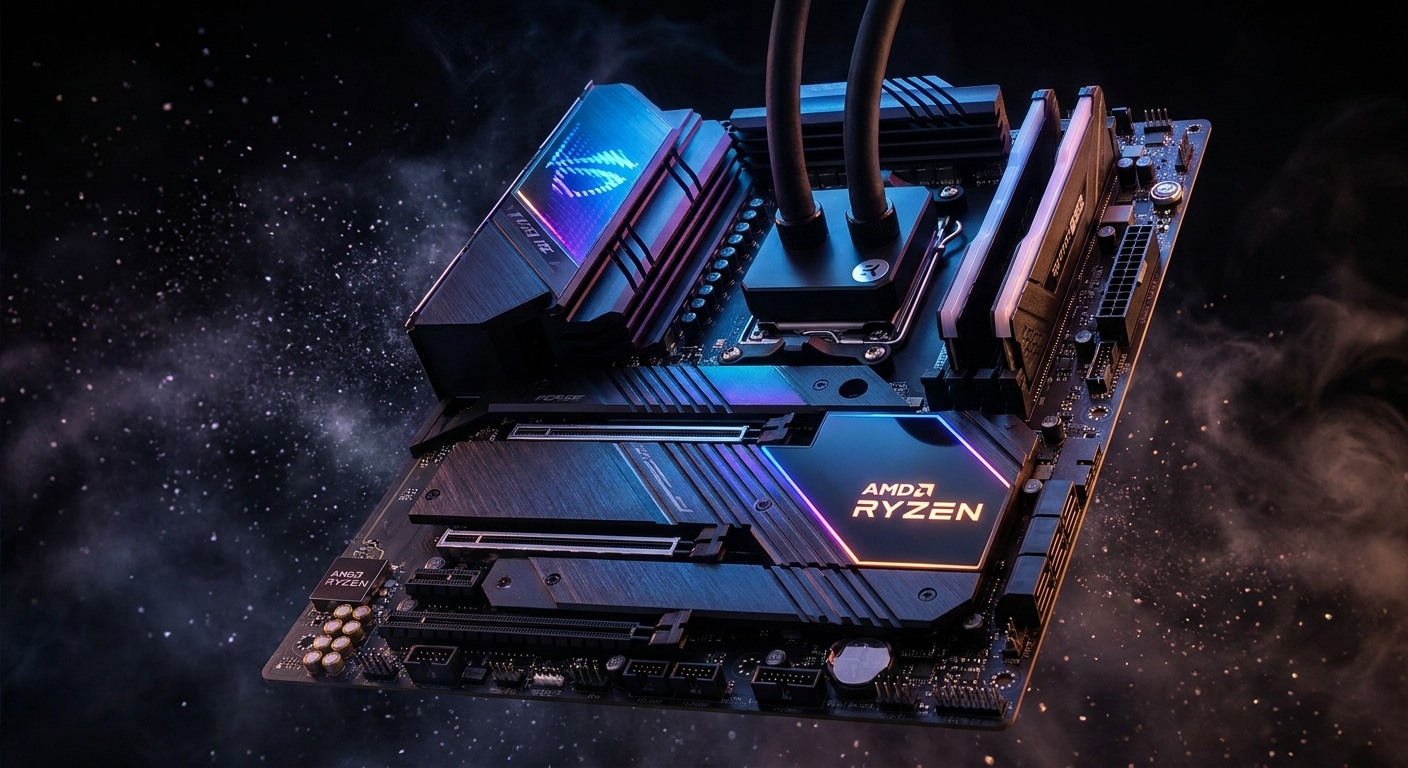
Table of Contents
- What Should You Look for Before Buying an ATX Intel Gaming Motherboard?
- 1. CPU Socket Compatibility
- 2. Chipset Selection
- 3. VRM Quality
- 4. Memory Support
- 5. PCIe Expansion
- 6. Storage Options
- 7. Networking
- 8. Rear I/O Ports
- 9. Cooling Features
- 10. Future Upgradability
- How We Selected These Motherboards
- 1. ASUS ROG Maximus Z890 Hero
- Pros
- Cons
- 2. MSI MPG Z890 Carbon WiFi
- Pros
- Cons
- 3. Gigabyte Z890 AORUS Master
- Pros
- Cons
- 4. ASUS TUF Gaming Z790-Plus WiFi
- Pros
- Cons
- 5. MSI MAG Z790 Tomahawk MAX WiFi
- Pros
- Cons
- 6. Gigabyte Z790 AORUS Elite AX
- Pros
- Cons
- 7. ASRock Z790 Steel Legend WiFi
- Pros
- Cons
- 8. ASUS Prime Z790-A WiFi
- Pros
- Cons
- 9. MSI PRO Z790-A MAX WiFi
- Pros
- Cons
- 10. Gigabyte B760 AORUS Elite AX
- Pros
- Cons
- Motherboard Comparison Table
- Frequently Asked Questions (FAQ)
- Final Verdict
Building a gaming PC starts with choosing the right motherboard. While many gamers focus on the graphics card or processor, the motherboard is the foundation that connects every component and determines your system’s future upgrade potential, stability, and overall performance.
An ATX Intel gaming motherboard offers the perfect balance between expandability, cooling, connectivity, and power delivery. Whether you’re building a budget gaming PC with an Intel Core i5 or a flagship setup powered by the latest Intel Core Ultra or Core i9 processor, selecting the right motherboard can significantly improve your gaming experience.
The market is filled with dozens of Intel motherboards from ASUS, MSI, Gigabyte, and ASRock. Each model comes with different VRM designs, PCIe support, WiFi capabilities, USB ports, RGB features, and overclocking options. Choosing the wrong motherboard may limit your upgrade options or cause performance bottlenecks in the future.
That is why we carefully researched and compared the best ATX Intel gaming motherboards currently available. Our recommendations are based on performance, thermal efficiency, build quality, BIOS usability, gaming features, connectivity, value for money, and long-term reliability.
What Should You Look for Before Buying an ATX Intel Gaming Motherboard?
Buying a motherboard isn’t simply about selecting the most expensive model. The best motherboard for your needs depends on your processor, intended use, upgrade plans, and budget. Before making a purchase, here are the key factors you should consider.
1. CPU Socket Compatibility
The first thing to check is whether the motherboard supports your Intel processor. Intel changes sockets regularly, so not every motherboard works with every generation of CPU.
Always verify the socket type before buying.
2. Chipset Selection
The chipset determines the motherboard’s features.
- Z-Series – Best for overclocking and enthusiasts
- B-Series – Excellent value for gamers
- H-Series – Suitable for everyday users
For gaming, Z790 and Z890 remain the preferred choices because they offer superior power delivery and expansion options.
3. VRM Quality
Voltage Regulation Modules (VRMs) supply stable power to your processor.
High-quality VRMs provide:
- Better gaming stability
- Lower temperatures
- Improved overclocking
- Longer motherboard lifespan
If you’re planning to use an Intel Core i7 or Core i9 processor, never compromise on VRM quality.
4. Memory Support
Modern gaming systems benefit greatly from fast memory.
Look for:
- DDR5 support
- High frequency compatibility
- Four DIMM slots
- Large maximum memory capacity
DDR5 offers improved bandwidth and better future-proofing.
5. PCIe Expansion
Gamers should ensure the motherboard includes:
- PCIe 5.0 x16 slot
- Multiple M.2 SSD slots
- PCIe 5.0 storage support
- Expansion slots for future upgrades
6. Storage Options
Fast storage dramatically reduces game loading times.
Choose a motherboard with:
- Multiple M.2 slots
- PCIe Gen4 or Gen5 SSD support
- Several SATA ports
7. Networking
Modern online gaming requires reliable networking.
Features to prioritize:
- 2.5Gb Ethernet
- WiFi 6E
- WiFi 7
- Bluetooth 5.3 or newer
8. Rear I/O Ports
A good motherboard should include:
- USB-C
- USB 3.2 Gen2
- HDMI
- DisplayPort
- High-quality audio ports
- BIOS Flashback
9. Cooling Features
Cooling directly impacts gaming performance.
Look for:
- Large VRM heatsinks
- M.2 heatsinks
- Multiple fan headers
- Pump headers for liquid cooling
10. Future Upgradability
Think long term.
A quality motherboard should support:
- Faster SSDs
- More RAM
- Better graphics cards
- Future Intel processors (where platform compatibility allows)
Investing in a premium motherboard often saves money over time.
- Run the game
- Capture gameplay
- Encode video
- Process audio
- Upload data to streaming servers
Without proper optimization, you may experience:
- FPS drops
- Stream stuttering
- Audio desynchronization
- High CPU usage
- Overheating
- Viewer buffering
A well-optimized gaming PC ensures smooth gameplay and professional-quality streams.
How We Selected These Motherboards
Our recommendations are based on several important factors:
- Gaming performance
- VRM efficiency
- BIOS experience
- Cooling performance
- Build quality
- Connectivity
- Expansion capability
- User reviews
- Reliability
- Overall value
Each motherboard listed below offers excellent performance within its respective price category.
1. ASUS ROG Maximus Z890 Hero
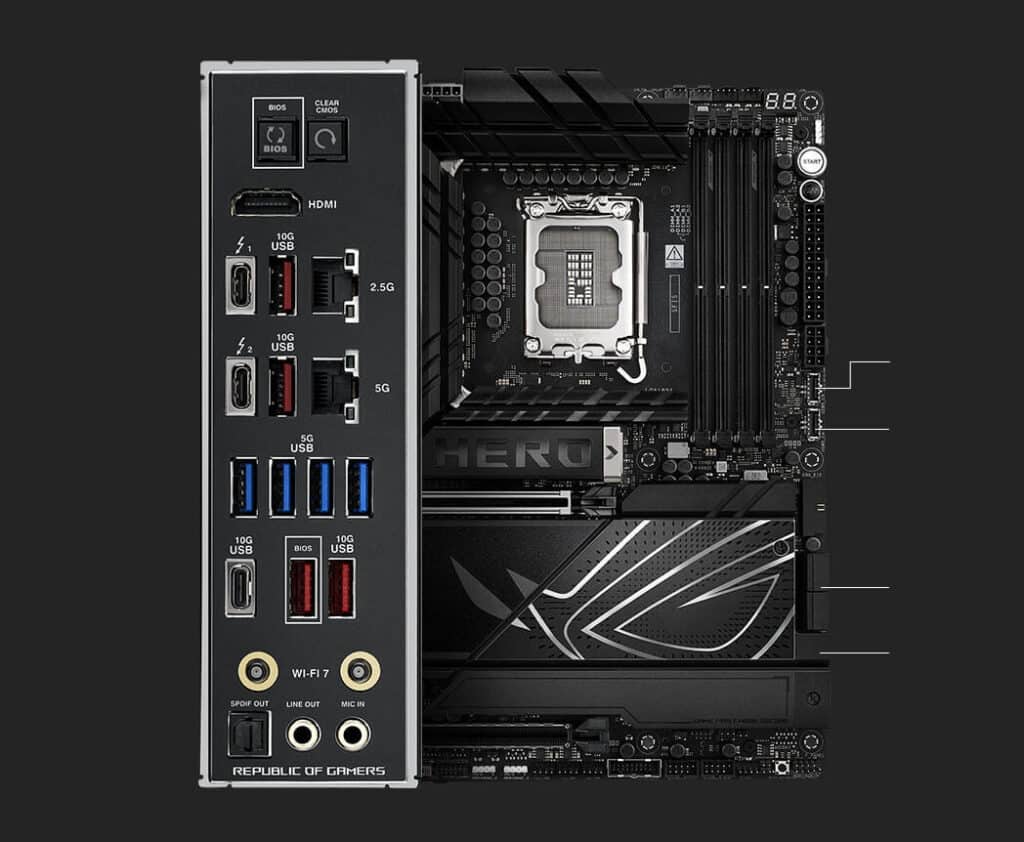
The ASUS ROG Maximus Z890 Hero is one of the finest premium Intel gaming motherboards available today. Designed for enthusiasts, competitive gamers, and professional creators, it combines outstanding build quality with industry-leading features.
ASUS equips this motherboard with an extremely powerful VRM system capable of handling even Intel’s highest-end processors under heavy workloads. Whether you’re gaming, streaming, rendering videos, or pushing CPU overclocks, the Hero maintains excellent stability thanks to its oversized heatsinks and premium power design.
Connectivity is another major strength. The motherboard includes PCIe 5.0 support, multiple Gen5 M.2 slots, high-speed USB ports, WiFi 7, 2.5Gb Ethernet, and premium SupremeFX audio. The BIOS remains one of the easiest to navigate, making tuning memory profiles and optimizing system performance straightforward for beginners and enthusiasts alike.
Its RGB lighting is tastefully integrated, and the board offers extensive customization through ASUS Aura Sync. Build quality is exceptional, with reinforced PCIe slots, premium capacitors, and high-quality PCB construction ensuring durability for years to come.
Although the Z890 Hero commands a premium price, it delivers everything serious gamers and power users could ask for in a flagship Intel motherboard.
Pros
- Outstanding VRM quality
- Excellent overclocking performance
- Premium build quality
- PCIe 5.0 support
- WiFi 7 and Bluetooth
- Multiple Gen5 M.2 slots
- Easy-to-use BIOS
Cons
- Expensive
- More features than casual gamers may need
Best For: Enthusiast gamers, overclockers, and high-end Intel builds.
2. MSI MPG Z890 Carbon WiFi
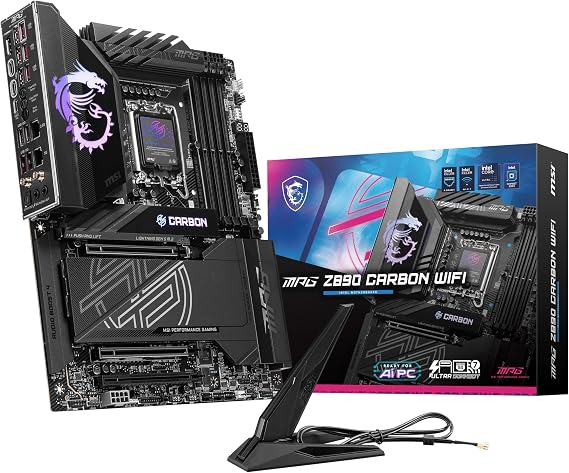
The MSI MPG Z890 Carbon WiFi is an excellent choice for gamers seeking flagship-level performance without stepping into ultra-premium pricing. It strikes an impressive balance between performance, aesthetics, and value.
MSI has equipped the Carbon series with a robust VRM design capable of handling demanding Intel processors while maintaining low operating temperatures. This makes it ideal for extended gaming sessions and CPU-intensive workloads.
One of the standout features is its excellent thermal solution. Large heatsinks, multiple M.2 shields, and optimized PCB layers help keep temperatures under control, ensuring stable performance during heavy gaming or overclocking.
Connectivity is equally impressive, featuring PCIe 5.0 expansion, multiple high-speed M.2 slots, WiFi 7, 2.5Gb LAN, USB-C, and a generous selection of rear USB ports. MSI’s BIOS interface is intuitive and offers plenty of tuning options for advanced users while remaining accessible to beginners.
The Carbon WiFi also delivers a sleek black design accented with subtle RGB lighting, making it an attractive centerpiece for modern gaming builds. Whether paired with an Intel Core Ultra processor or a Core i9, this motherboard provides outstanding gaming performance, reliable stability, and future-ready features.
Pros
- Excellent value
- Strong VRM cooling
- Premium design
- WiFi 7 support
- PCIe 5.0 compatibility
- User-friendly BIOS
- Great gaming performance
Cons
- RGB customization could be more extensive
- Premium pricing compared to mid-range boards
Best For: Gamers who want flagship features at a more reasonable price.
3. Gigabyte Z890 AORUS Master
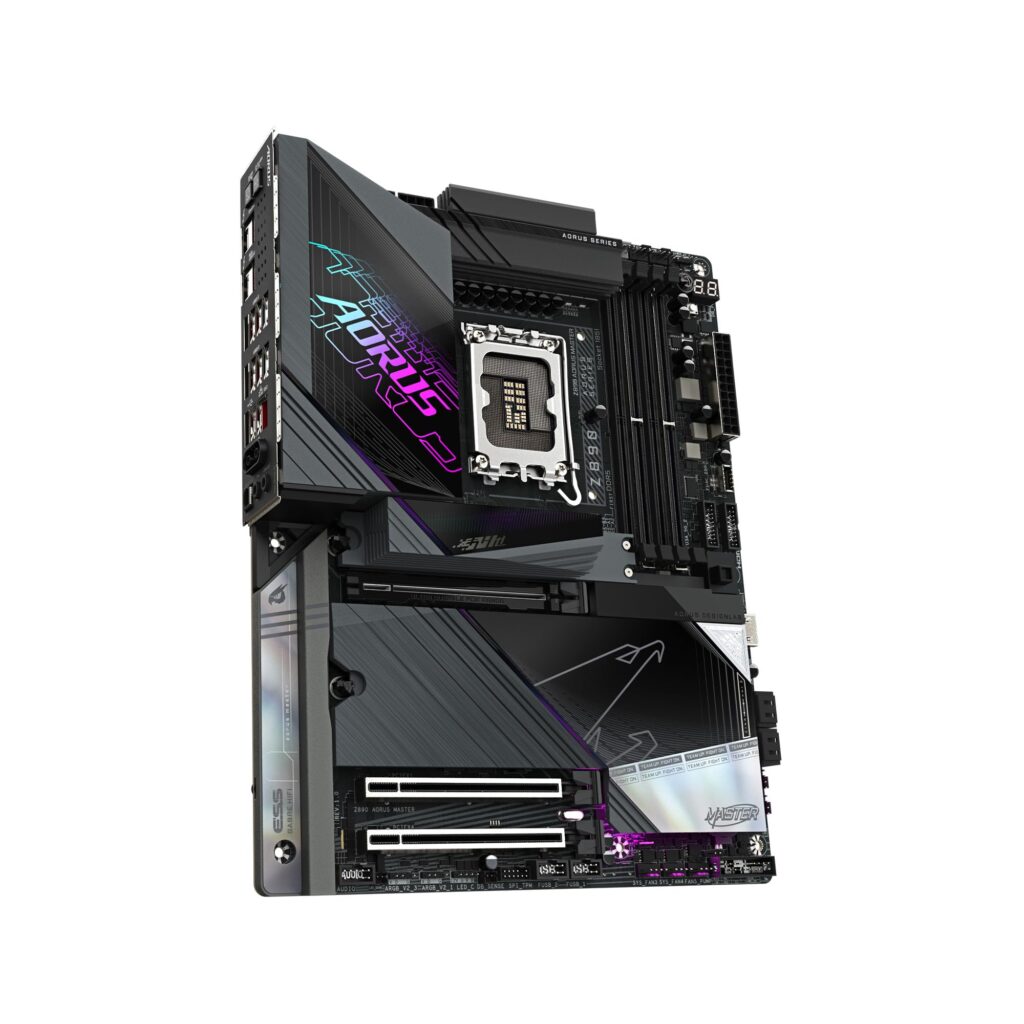
The Gigabyte Z890 AORUS Master is built for enthusiasts who demand exceptional performance, premium connectivity, and long-term reliability. This motherboard is one of Gigabyte’s flagship offerings and is designed to support Intel’s latest high-performance processors with ease.
One of the standout features of the AORUS Master is its advanced digital VRM design. Equipped with premium power stages and oversized fin-array heatsinks, it delivers excellent thermal performance even during intensive gaming sessions or heavy overclocking. Whether you’re playing AAA titles, streaming, or running productivity software, the motherboard remains stable under demanding workloads.
Memory support is equally impressive, with high-speed DDR5 compatibility and advanced memory tuning features that help maximize system performance. Storage options include multiple PCIe 5.0 and PCIe 4.0 M.2 slots with dedicated thermal guards to prevent SSD throttling during extended use.
Connectivity is another strong point. The board features WiFi 7, 2.5Gb Ethernet, Thunderbolt-ready ports, USB-C connectivity, premium audio, and numerous high-speed USB ports for gaming peripherals and external storage.
The BIOS interface is intuitive and offers both beginner-friendly settings and advanced customization for enthusiasts. RGB Fusion support allows users to synchronize lighting across compatible components, creating a visually appealing gaming setup.
Overall, the Gigabyte Z890 AORUS Master is an outstanding choice for gamers who want flagship-level features, excellent cooling, and reliable performance for years to come.
Pros
- Outstanding VRM performance
- Excellent cooling solution
- Multiple PCIe 5.0 M.2 slots
- WiFi 7 and 2.5Gb LAN
- Premium build quality
- User-friendly BIOS
- Great overclocking capabilities
Cons
- Expensive
- Large heatsinks may interfere with some compact CPU coolers
Best For: High-end gaming PCs, content creators, and enthusiasts.
4. ASUS TUF Gaming Z790-Plus WiFi
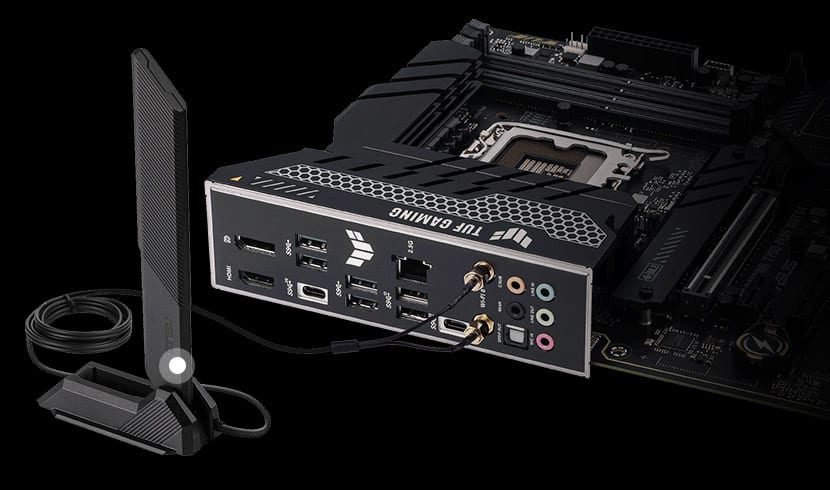
The ASUS TUF Gaming Z790-Plus WiFi is an excellent mid-range motherboard that focuses on durability, stability, and gaming performance. Unlike premium flagship boards that include every possible feature, the TUF series delivers the essentials while maintaining excellent value for money.
Built using military-grade components and reinforced PCIe slots, this motherboard is engineered for long-term reliability. Its robust VRM design easily handles Intel Core i5 and Core i7 processors while also supporting Core i9 CPUs at stock settings.
The board supports DDR5 memory, PCIe 5.0 graphics cards, multiple M.2 SSDs, and WiFi 6E, making it an excellent option for gamers who want modern connectivity without paying flagship prices.
Cooling performance is another highlight. Large VRM heatsinks and dedicated M.2 cooling solutions help maintain low temperatures, ensuring consistent gaming performance during extended sessions.
The BIOS is easy to navigate, making system tuning and memory optimization simple even for first-time PC builders. ASUS also includes plenty of fan headers for improved airflow management.
For gamers looking to build a reliable Intel gaming system with excellent upgrade potential, the ASUS TUF Gaming Z790-Plus WiFi represents one of the best values currently available.
Pros
- Excellent value
- Durable construction
- DDR5 support
- PCIe 5.0 compatibility
- Reliable VRM cooling
- Easy BIOS
- WiFi 6E included
Cons
- Fewer premium features
- Limited RGB lighting compared to ROG models
Best For: Mid-range gaming builds and value-conscious gamers.
5. MSI MAG Z790 Tomahawk MAX WiFi
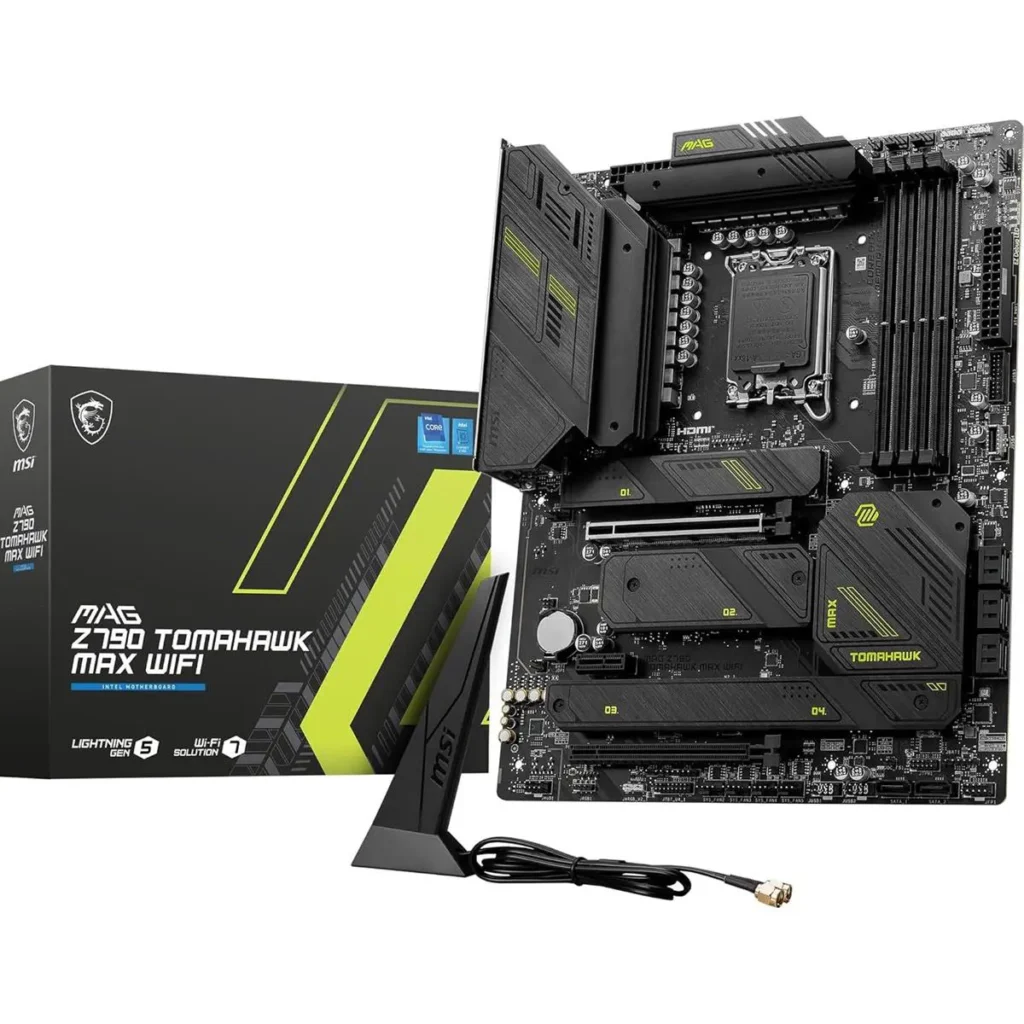
The MSI MAG Z790 Tomahawk MAX WiFi has become one of the most recommended Intel gaming motherboards thanks to its exceptional balance of price, performance, and reliability. It consistently ranks among the best choices for gamers building systems around Intel Core i5, Core i7, or even Core i9 processors.
MSI equips the Tomahawk series with an efficient power delivery system capable of maintaining stable CPU performance during heavy gaming workloads. Large aluminum heatsinks and quality thermal pads ensure low VRM temperatures even during long gaming sessions.
The motherboard supports DDR5 memory, PCIe 5.0 graphics cards, multiple high-speed NVMe SSDs, WiFi 7, Bluetooth, and 2.5Gb Ethernet. These modern connectivity options ensure the system remains future-proof for years.
Another major advantage is MSI’s Click BIOS interface, which offers intuitive controls for beginners while providing advanced overclocking options for experienced users.
The understated black design fits almost any gaming build, and while RGB lighting is minimal, it provides excellent compatibility with aftermarket RGB components.
Considering its competitive pricing and premium feature set, the MAG Z790 Tomahawk MAX WiFi is one of the best overall Intel gaming motherboards currently available.
Pros
- Outstanding value
- Strong VRM
- WiFi 7 support
- PCIe 5.0 ready
- Excellent BIOS
- Premium build quality
- Reliable cooling
Cons
- Limited onboard RGB
- Fewer USB ports than flagship boards
Best For: Gamers seeking premium performance without flagship pricing.
6. Gigabyte Z790 AORUS Elite AX
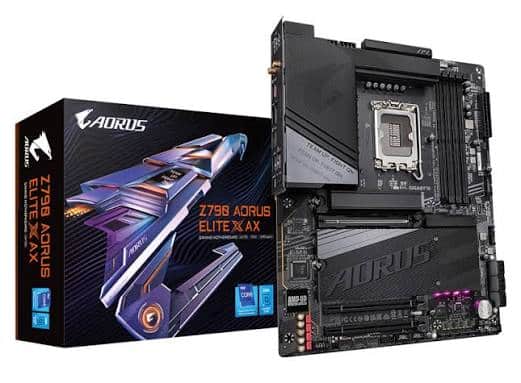
The Gigabyte Z790 AORUS Elite AX is one of the strongest contenders in the upper mid-range motherboard market. It delivers premium gaming features at a price that remains accessible for most enthusiasts.
The motherboard features a capable VRM system that provides stable power for Intel Core i5, Core i7, and Core i9 processors. Combined with large heatsinks and intelligent thermal design, it performs exceptionally well under gaming and productivity workloads.
Support for DDR5 memory and PCIe 5.0 graphics cards ensures excellent future compatibility. Multiple M.2 slots with dedicated heatsinks provide fast storage performance while reducing thermal throttling.
Networking options include WiFi 6E and 2.5Gb Ethernet, making online gaming and content downloads incredibly fast and reliable.
Gigabyte’s BIOS has improved significantly over recent generations, offering both automatic optimization features and advanced tuning capabilities for enthusiasts.
With its clean aesthetics, strong feature set, and competitive pricing, the AORUS Elite AX remains one of the best all-around Intel gaming motherboards for users seeking excellent value.
Pros
- Excellent gaming performance
- Good VRM cooling
- PCIe 5.0 support
- DDR5 compatible
- WiFi 6E
- Good value
- Attractive design
Cons
- BIOS updates occasionally required
- Audio solution isn’t as premium as flagship models
Best For: Gamers building powerful mid-to-high-end Intel systems.
7. ASRock Z790 Steel Legend WiFi
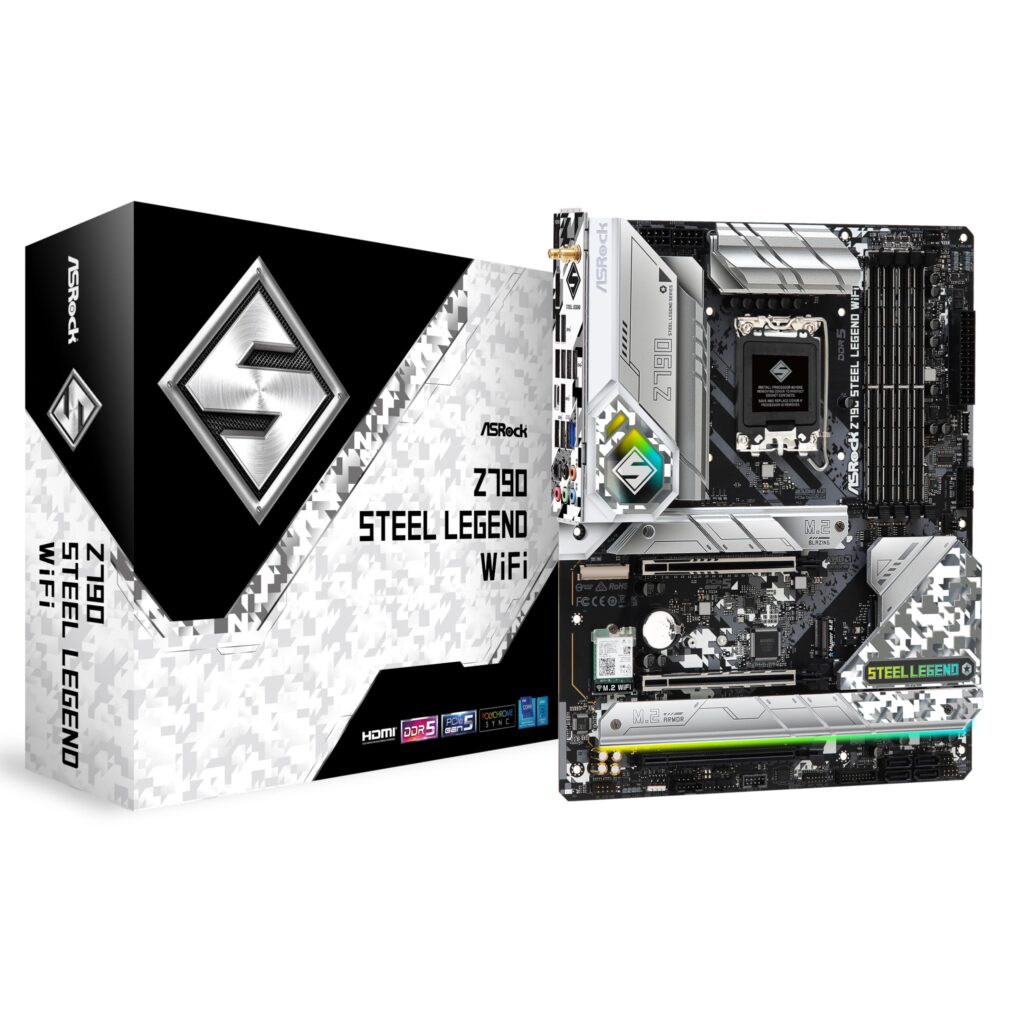
The ASRock Z790 Steel Legend WiFi is one of the best Intel ATX gaming motherboards for users who want premium features without paying flagship prices. ASRock has steadily improved its motherboard lineup over the years, and the Steel Legend series is a great example of quality engineering combined with affordability.
The motherboard features a robust power delivery system that comfortably supports Intel Core i5, Core i7, and even Core i9 processors under stock settings. Large aluminum heatsinks ensure efficient VRM cooling, making it suitable for extended gaming sessions and demanding workloads.
It supports the latest DDR5 memory, PCIe 5.0 graphics cards, and multiple PCIe Gen4 M.2 SSDs, allowing gamers to build a fast and future-ready gaming PC. Integrated WiFi 6E and 2.5Gb Ethernet provide excellent networking performance for competitive online gaming.
One of the biggest strengths of the Steel Legend is its attractive white and silver design, making it a popular choice for gamers building white-themed gaming PCs. The motherboard also includes RGB lighting support, reinforced PCIe slots, and a user-friendly BIOS with plenty of customization options.
Considering its competitive pricing and premium feature set, the ASRock Z790 Steel Legend WiFi offers excellent value for gamers who want modern features, reliable performance, and stylish aesthetics.
Pros
- Excellent value for money
- Attractive white design
- Strong VRM cooling
- DDR5 support
- PCIe 5.0 graphics support
- WiFi 6E included
- Reliable build quality
Cons
- BIOS isn’t as polished as ASUS or MSI
- Limited premium overclocking features
Best For: White-themed gaming builds and mid-range enthusiasts.
8. ASUS Prime Z790-A WiFi
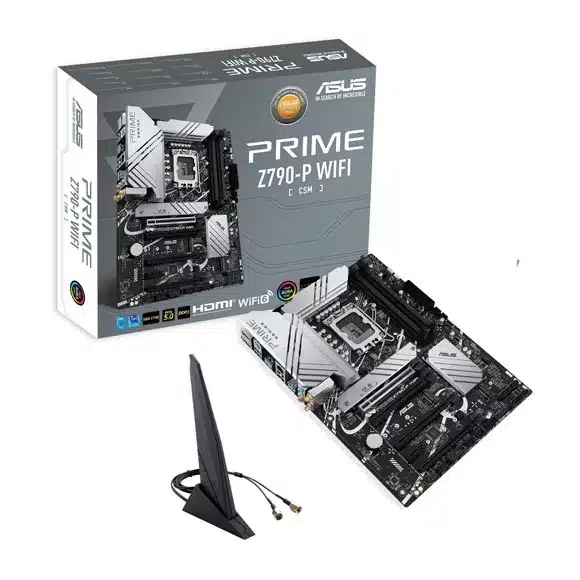
The ASUS Prime Z790-A WiFi is designed for users who want a balanced motherboard capable of handling gaming, productivity, and everyday computing. While it isn’t part of ASUS’s premium ROG lineup, it inherits many of the company’s excellent engineering standards.
The motherboard features a dependable VRM design that supports Intel’s latest processors while maintaining stable temperatures. Its efficient cooling system includes large heatsinks for both the VRMs and M.2 SSDs, helping maintain peak performance during demanding tasks.
DDR5 memory compatibility ensures excellent bandwidth for gaming and multitasking. PCIe 5.0 graphics support prepares the system for future GPU upgrades, while multiple NVMe slots allow users to install high-speed SSDs for faster game loading times.
Networking options include WiFi 6E, Bluetooth, and 2.5Gb Ethernet, offering reliable connectivity for gaming and streaming.
The motherboard also features ASUS’s intuitive UEFI BIOS, making system configuration simple for beginners while still providing advanced settings for enthusiasts.
Overall, the ASUS Prime Z790-A WiFi is a dependable choice for users looking for premium ASUS quality at a more accessible price.
Pros
- Excellent stability
- DDR5 support
- PCIe 5.0 ready
- User-friendly BIOS
- Good thermal design
- Premium ASUS reliability
- Great value
Cons
- Less RGB customization
- VRMs not intended for extreme overclocking
Best For: Mainstream gamers and productivity users.
9. MSI PRO Z790-A MAX WiFi
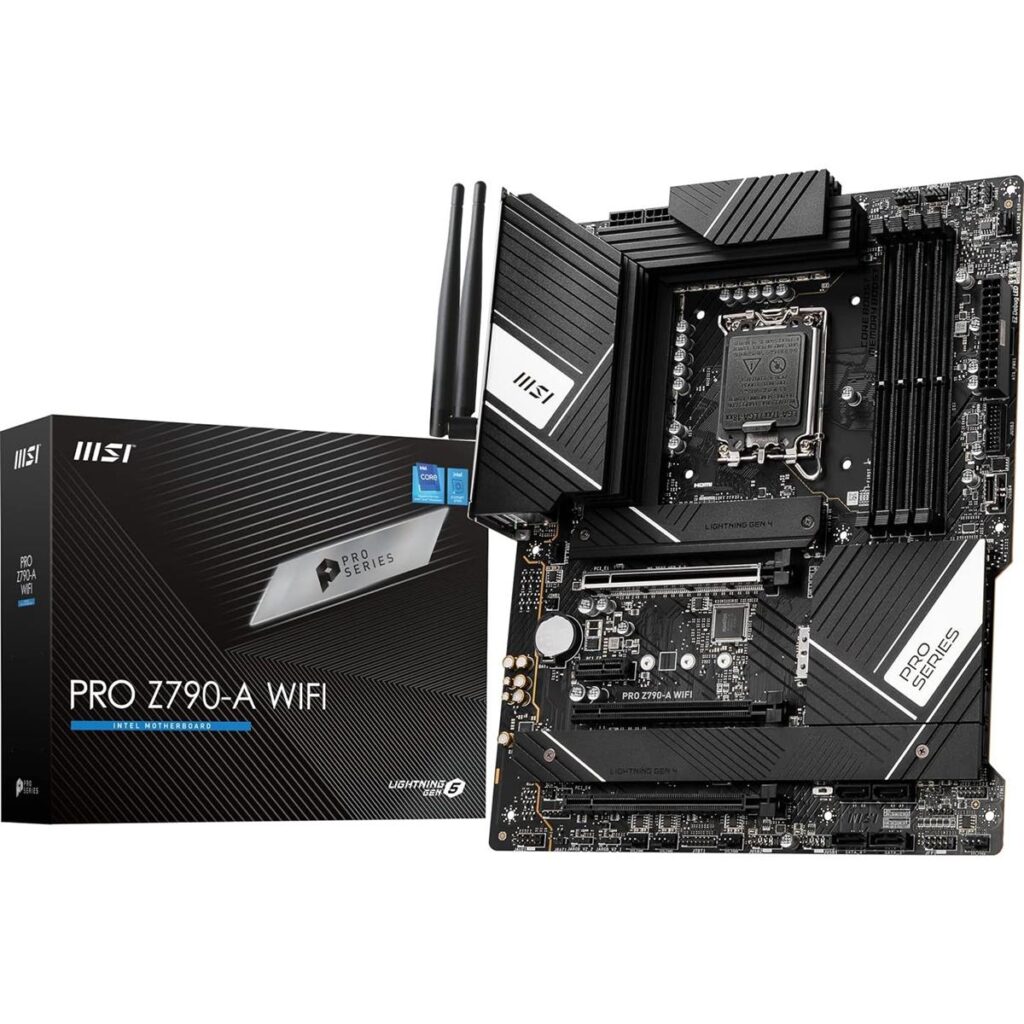
The MSI PRO Z790-A MAX WiFi proves that professional-looking motherboards can still deliver exceptional gaming performance. Designed with simplicity and functionality in mind, this motherboard focuses on stability, efficiency, and long-term reliability.
Its power delivery system is capable of handling Intel Core i5 and Core i7 processors with ease while also supporting Core i9 CPUs for users who do not plan on aggressive overclocking. Large VRM heatsinks help maintain low operating temperatures even during extended gaming sessions.
Support for DDR5 memory, PCIe 5.0 graphics cards, and multiple M.2 SSDs ensures the motherboard remains relevant for years to come. Integrated WiFi 7, Bluetooth, and 2.5Gb Ethernet provide excellent connectivity for modern gaming setups.
MSI’s Click BIOS continues to be one of the easiest BIOS interfaces available, offering straightforward configuration and advanced tuning options for experienced users.
Although the design is more understated compared to gaming-focused motherboards, its performance, reliability, and affordability make it one of the smartest purchases in its price range.
Pros
- Excellent price-to-performance ratio
- Stable VRM design
- WiFi 7 support
- DDR5 compatible
- Easy BIOS
- Strong build quality
- Good upgrade potential
Cons
- Minimal RGB lighting
- Basic aesthetic design
Best For: Budget-conscious gamers seeking premium features.
10. Gigabyte B760 AORUS Elite AX
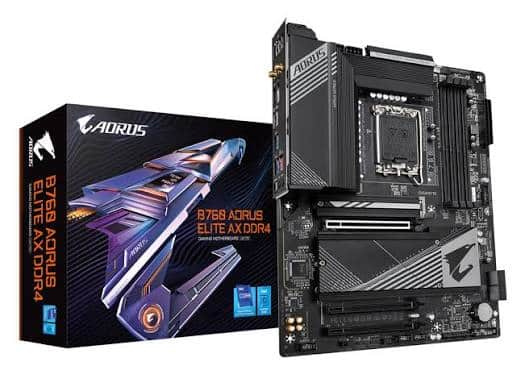
The Gigabyte B760 AORUS Elite AX is an outstanding option for gamers who don’t require CPU overclocking but still want excellent gaming performance and modern features. Built around the Intel B760 chipset, it offers an excellent balance of affordability and capability.
The motherboard supports Intel Core i5, Core i7, and Core i9 processors while providing stable power delivery for stock operation. Although it lacks the overclocking features of Z-series chipsets, it performs exceptionally well in gaming scenarios.
DDR5 memory support, PCIe 5.0 graphics compatibility, multiple NVMe SSD slots, and WiFi 6E make this motherboard ideal for modern gaming builds. Gigabyte also includes high-quality audio components, multiple USB ports, and reinforced PCIe slots for added durability.
Cooling performance is excellent thanks to large VRM heatsinks and dedicated SSD cooling solutions. The BIOS is simple to navigate and includes useful optimization tools for beginners.
For gamers who want maximum gaming performance without paying for overclocking features they may never use, the B760 AORUS Elite AX represents one of the best value motherboards available.
Pros
- Outstanding value
- DDR5 support
- PCIe 5.0 graphics
- Excellent cooling
- WiFi 6E
- Strong build quality
- Great gaming performance
Cons
- No CPU overclocking
- Fewer premium features than Z790 boards
Best For: Budget and mid-range gaming PCs.
Motherboard Comparison Table
Motherboard | Chipset | Memory | WiFi | Best For | Rating |
ASUS ROG Maximus Z890 Hero | Z890 | DDR5 | WiFi 7 | Enthusiasts | ⭐⭐⭐⭐⭐ |
MSI MPG Z890 Carbon WiFi | Z890 | DDR5 | WiFi 7 | High-End Gaming | ⭐⭐⭐⭐⭐ |
Gigabyte Z890 AORUS Master | Z890 | DDR5 | WiFi 7 | Overclocking | ⭐⭐⭐⭐⭐ |
ASUS TUF Gaming Z790-Plus WiFi | Z790 | DDR5 | WiFi 6E | Value Gaming | ⭐⭐⭐⭐☆ |
MSI MAG Z790 Tomahawk MAX WiFi | Z790 | DDR5 | WiFi 7 | Best Overall | ⭐⭐⭐⭐⭐ |
Gigabyte Z790 AORUS Elite AX | Z790 | DDR5 | WiFi 6E | Mid-Range | ⭐⭐⭐⭐☆ |
ASRock Z790 Steel Legend WiFi | Z790 | DDR5 | WiFi 6E | White Builds | ⭐⭐⭐⭐☆ |
ASUS Prime Z790-A WiFi | Z790 | DDR5 | WiFi 6E | Productivity & Gaming | ⭐⭐⭐⭐☆ |
MSI PRO Z790-A MAX WiFi | Z790 | DDR5 | WiFi 7 | Budget Premium | ⭐⭐⭐⭐☆ |
Gigabyte B760 AORUS Elite AX | B760 | DDR5 | WiFi 6E | Budget Gaming | ⭐⭐⭐⭐☆ |
Frequently Asked Questions (FAQ)
The MSI MAG Z790 Tomahawk MAX WiFi offers one of the best balances between price, performance, features, and long-term reliability, making it an excellent choice for most gamers.
Choose a Z-series motherboard if you plan to overclock your Intel processor, use high-speed DDR5 memory, or want the maximum number of expansion features. Otherwise, a B760 motherboard is often sufficient for gaming.
Yes. DDR5 provides higher bandwidth, improved efficiency, and better future compatibility compared to DDR4, making it the recommended choice for new gaming builds.
WiFi 7 offers faster speeds and lower latency than previous standards, but WiFi 6E remains more than adequate for most gaming setups.
The MSI MAG Z790 Tomahawk MAX WiFi and Gigabyte B760 AORUS Elite AX provide exceptional value depending on whether you need overclocking support.
Final Verdict
Choosing the best ATX Intel gaming motherboard ultimately depends on your budget, processor, and future upgrade plans. Flagship models such as the ASUS ROG Maximus Z890 Hero and Gigabyte Z890 AORUS Master deliver uncompromising performance for enthusiasts, while options like the MSI MAG Z790 Tomahawk MAX WiFi provide an excellent balance of premium features and affordability.
For gamers on a tighter budget, the Gigabyte B760 AORUS Elite AX and ASUS TUF Gaming Z790-Plus WiFi offer impressive gaming performance without unnecessary extras. These boards include modern features such as DDR5 support, PCIe 5.0 compatibility, fast networking, and efficient cooling, making them ideal for long-term use.
No matter which motherboard you choose from this list, each model has been selected for its reliability, gaming performance, feature set, and overall value. Pairing one of these motherboards with a capable Intel processor and modern graphics card will ensure a smooth and enjoyable gaming experience for years to come.

Written by admin