
 admin
admin 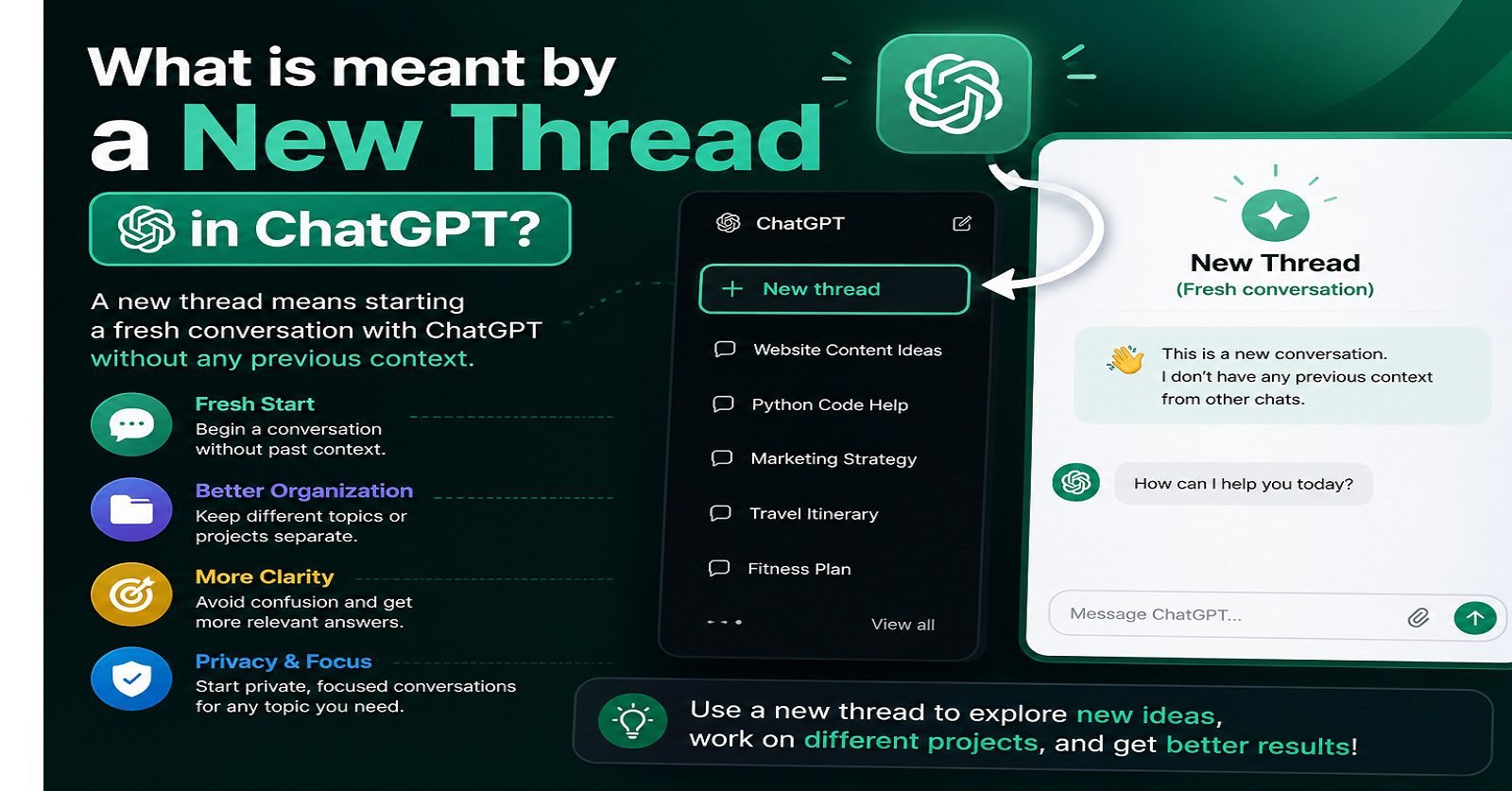
As artificial intelligence tools continue to grow in popularity, more people are using OpenAI’s ChatGPT for learning, business, content writing, customer support, coding, and everyday conversations. While using ChatGPT, users often hear the term “new thread.” Many beginners become confused about what it actually means and why it is important.
If you have ever wondered “what is meant by a new thread in ChatGPT”, this detailed guide will help you understand the concept in a simple and professional way. We will explain how threads work, why they matter, when to create a new thread, and how they improve your overall ChatGPT experience.
Table of Contents
ToggleWhat Is Meant by a New Thread in ChatGPT?
A new thread in ChatGPT means starting a completely fresh conversation with the AI assistant. It creates a separate chat session where previous messages, prompts, and discussions are not mixed with the new topic.
In simple words, a thread is like a dedicated conversation room. When you start a new thread, you open a new room for discussing a different subject.
For example:
- One thread may be about SEO learning
- Another thread may be about business marketing
- A separate thread may focus on coding help
- Another could be used for writing blog content
Each thread keeps conversations organized and easier to manage.
Understanding Threads in Simple Language
Think of ChatGPT threads like conversations in messaging apps.
For example:
- One WhatsApp chat is with a friend
- Another chat is with a client
- Another is with family
Similarly, ChatGPT uses threads to separate topics and discussions.
If you continue every discussion in the same thread, the conversation may become confusing because ChatGPT tries to remember the previous context of that specific conversation.
Starting a new thread helps keep things clean and focused.
Why Are New Threads Important in ChatGPT?
New threads are important because they help:
1. Keep Conversations Organized
When you create separate threads for different topics, you can easily return to them later.
Example:
- Thread 1 → Digital Marketing
- Thread 2 → Shopify Store Setup
- Thread 3 → SEO Meta Descriptions
- Thread 4 → Content Writing
This structure improves productivity and saves time.
2. Improve AI Responses
ChatGPT remembers the context within a thread. If you suddenly switch topics in the same conversation, the AI may become confused.
For example:
If you were discussing website SEO and suddenly ask about cooking recipes in the same thread, responses may lose relevance.
A new thread gives ChatGPT a fresh start, helping it generate more accurate responses.
3. Avoid Context Mixing
One major benefit of using a new thread is avoiding mixed information.
For example:
You may have previously discussed:
- Website design
- Keyword research
- Product descriptions
If you suddenly ask legal or medical questions in the same thread, previous context may interfere with the answers.
Starting a new thread prevents this issue.
4. Better Workflow Management
Professionals often use multiple threads for different clients or projects.
For example:
A digital marketer may create:
- One thread for SEO projects
- One for email marketing
- One for client communication
- One for social media captions
This improves workflow and efficiency.
How to Start a New Thread in ChatGPT
Starting a new thread is very simple.
On Desktop
- Open ChatGPT
- Look for the “New Chat” button on the left sidebar
- Click it
- A fresh conversation window will open
This new chat is called a new thread.
On Mobile App
If you are using the mobile app:
- Open the ChatGPT app
- Tap the menu icon
- Select New Chat
- Start your fresh conversation
Examples of Using New Threads
Example 1: Student Learning
A student can create separate threads for:
- English grammar
- Mathematics
- Physics
- Programming
This keeps study material organized.
Example 2: Business Use
A business owner may use:
- One thread for customer support templates
- One for product descriptions
- One for social media marketing
- One for SEO content
Example 3: Content Writing
A blogger can create threads for:
- Blog ideas
- Meta descriptions
- Article outlines
- Keyword research
This makes content management easier.
Difference Between Continuing a Thread and Starting a New Thread
Continuing Existing Thread | Starting New Thread |
Uses previous conversation context | Starts fresh |
Good for related discussions | Best for new topics |
AI remembers earlier prompts | No previous context applied |
Keeps related work together | Keeps different topics separate |
When Should You Start a New Thread in ChatGPT?
You should start a new thread when:
1. Changing the Topic Completely
If your discussion changes from:
- SEO → Travel planning
- Coding → Cooking
- Marketing → Health
it is better to open a new thread.
2. Starting a New Project
Each project should ideally have its own thread.
Example:
- Website Project
- E-commerce Store
- Social Media Campaign
3. Wanting More Accurate Responses
Fresh threads help ChatGPT focus better on the new topic.
4. Avoiding Long and Messy Chats
Very long conversations can become difficult to navigate. New threads help maintain clarity.
How ChatGPT Uses Thread Context
Within a thread, ChatGPT remembers:
- Your earlier questions
- Instructions
- Writing style
- Conversation topic
For example:
If you previously asked:
“Write in professional tone”
ChatGPT may continue using that tone throughout the same thread.
This memory improves conversation continuity.
However, when you start a new thread, the AI treats it as a new conversation.
Benefits of Using Multiple Threads
Better Productivity
Separate discussions help users work faster and smarter.
Easier Navigation
You can revisit old conversations quickly without searching through unrelated messages.
Improved Accuracy
ChatGPT responds more effectively when the topic remains focused.
Cleaner Workspace
Organized threads create a better user experience.
Common Misunderstandings About New Threads
Misunderstanding 1: New Thread Deletes Old Chats
This is false.
Creating a new thread does not remove previous conversations. Your old chats remain saved in the sidebar unless deleted manually.
Misunderstanding 2: Threads Are Only for Professionals
Anyone can benefit from threads:
- Students
- Freelancers
- Teachers
- Bloggers
- Business owners
- Developers
Misunderstanding 3: New Threads Reduce AI Quality
Actually, fresh threads often improve response quality because they reduce context confusion.
Tips for Managing ChatGPT Threads Professionally
Use Clear Titles
Rename threads with meaningful names such as:
- SEO Training Notes
- Shopify Product Content
- Facebook Ad Ideas
This makes them easier to locate later.
Separate Personal and Professional Work
Keep:
- Personal questions
- Business tasks
- Learning projects
in different threads.
Avoid Overloading One Conversation
Very long threads can become harder to manage. Create fresh threads when needed.
How Businesses Use ChatGPT Threads
Many companies use threads to organize operations.
Examples include:
Marketing Agencies
- Client campaigns
- SEO reports
- Ad copy creation
E-commerce Businesses
- Product descriptions
- Customer support replies
- Order management templates
Educational Institutes
- Student assignments
- Course planning
- Lecture preparation
Is a New Thread the Same as a New Chat?
Yes. In ChatGPT, the terms:
- New Thread
- New Chat
- Fresh Conversation
generally mean the same thing.
Can ChatGPT Remember Information Across Threads?
Usually, a thread works independently. However, some versions of ChatGPT may include memory features that remember selected user preferences across conversations.
Still, thread-specific context mainly stays inside that particular conversation.
Best Practices for Using New Threads
Start Fresh for Important Tasks
For professional work, always use a focused thread.
Use One Thread Per Client
Freelancers and agencies should separate clients into different conversations.
Create Topic-Based Threads
Examples:
- SEO Learning
- Content Marketing
- Website Design
- Email Copywriting
Future of Thread-Based AI Conversations
As AI technology improves, thread management will become even more advanced. Future AI systems may offer:
- Better organization
- Smart categorization
- Searchable conversations
- AI-generated summaries
- Project-based workspaces
Threads are becoming an essential part of AI productivity systems.
Conclusion
Understanding what is meant by a new thread in ChatGPT is important for anyone using AI tools professionally or personally. A new thread simply means starting a fresh conversation that is separate from previous chats.
Using new threads helps:
- Keep discussions organized
- Improve response quality
- Avoid confusion
- Manage projects effectively
- Increase productivity
Whether you are a student, business owner, freelancer, marketer, or content creator, learning how to properly use ChatGPT threads can significantly improve your workflow and communication experience.
As AI tools continue evolving, effective thread management will become an important digital productivity skill for users around the world.