 admin
admin 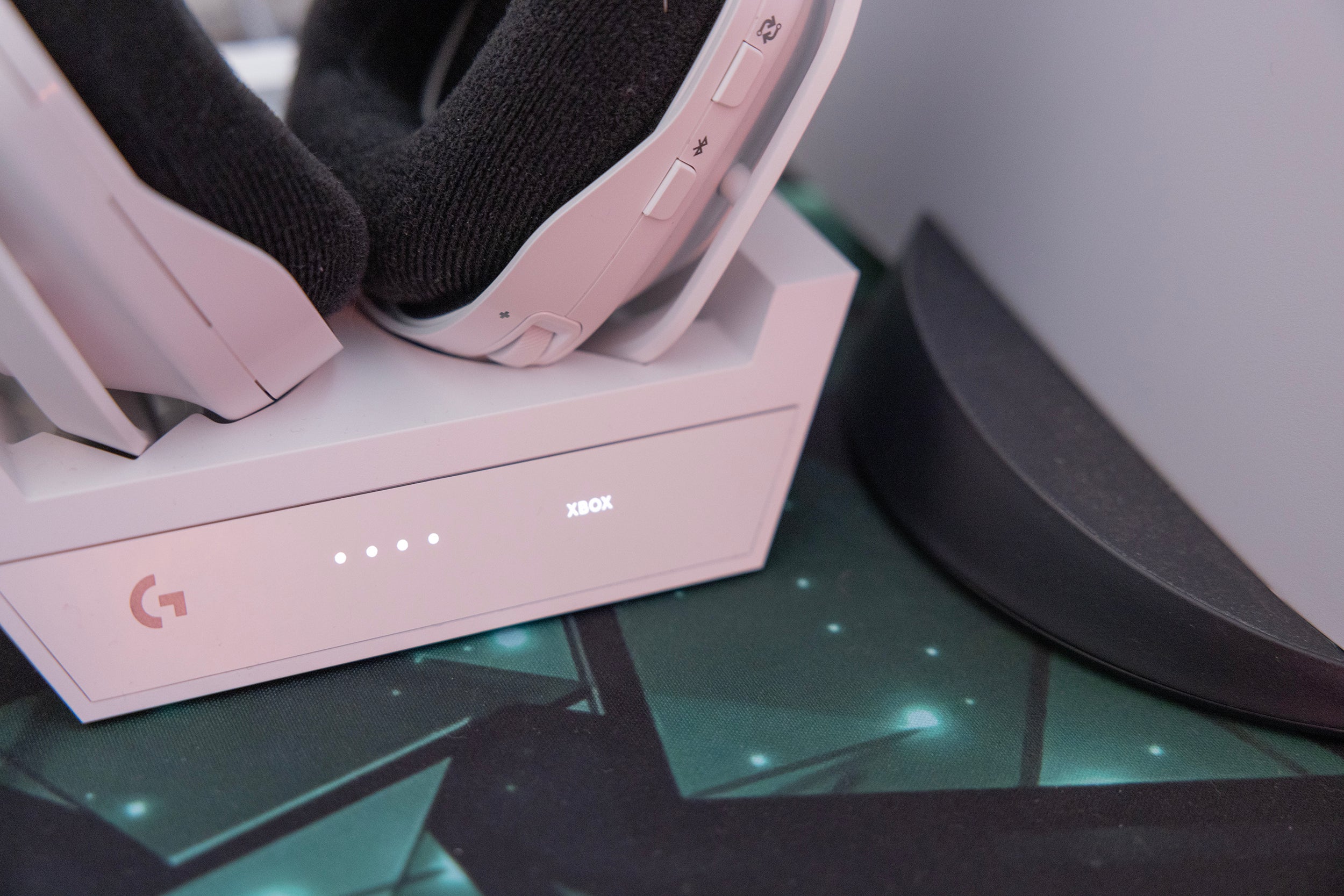
The Logitech Astro A50 Wireless Headset is one of the most popular premium gaming headsets available today. Known for its exceptional sound quality, wireless convenience, and comfortable design, it’s widely used by gamers, streamers, and professionals. However, one of the most common questions users ask is:
Table of Contents
ToggleHow long does the Astro A50 take to charge?
In this complete guide, we’ll explore charging time, battery performance, factors affecting charging speed, and practical tips to extend battery life.
1. Standard Charging Time of Logitech Astro A50
Under normal conditions, the Logitech Astro A50 takes approximately:
3 to 4 hours for a full charge
This applies when:
- The headset battery is completely drained
- You are using the official base station (charging dock)
- The headset is powered off or idle
The Astro A50 charges via its base station dock, which is designed for both charging and wireless connectivity.
2. How the Charging System Works
Unlike many wireless headsets that use cables, the Astro A50 uses a magnetic docking system. This means:
- You simply place the headset onto the base station
- Charging begins automatically
- LED indicators show charging status
Charging Indicators:
- Amber/Orange Light → Charging in progress
- White Light → Fully charged
This system is convenient but requires proper alignment. If the headset is not placed correctly, it may not charge.
3. Battery Life After Full Charge
Once fully charged, the Astro A50 offers:
Up to 15 hours of battery life
This can vary depending on:
- Volume level
- Microphone usage
- RGB lighting (if enabled)
- Usage type (gaming, music, calls)
For moderate usage, many users report 12–15 hours consistently.
4. Charging via Base Station vs USB Cable
While the base station is the primary charging method, you can also charge the headset using a USB cable.
Base Station Charging:
- Faster and optimized
- Convenient docking
- Simultaneous pairing and charging
USB Charging:
- Slightly slower
- Useful as a backup
- Allows charging while in use
Tip: For best results, always use the base station.
5. Factors That Affect Charging Time
Although the average charging time is 3–4 hours, several factors can influence it:
1. Battery Level
- Charging from 0% takes longer
- Charging from 20–30% is faster
2. Power Source
- Charging via PC USB port may be slower
- Direct power sources (wall adapter) are faster
3. Usage During Charging
- Using the headset while charging increases time
4. Battery Health
- Older batteries take longer to charge
- Degraded batteries may never reach full capacity
5. Dock Alignment
- Improper placement may stop charging completely
6. How to Properly Charge Your Astro A50
To ensure efficient charging:
Step-by-Step:
- Place the headset gently on the base station
- Ensure charging pins align correctly
- Check LED indicator
- Leave it undisturbed for 3–4 hours
Common Mistake:
Many users place the headset incorrectly, assuming it is charging when it is not.
Always confirm the charging light is on.
7. Fast Charging: Is It Possible?
The Astro A50 does not support fast charging technology like modern smartphones.
However, you can optimize charging speed by:
- Turning off the headset while charging
- Using a stable power source
- Avoiding usage during charging
8. How to Extend Battery Life
Proper battery care can significantly improve performance and lifespan.
Best Practices:
Avoid Full Drain Frequently: Try not to let the battery drop to 0% often.
Charge Before It Dies :Recharge at 20–30% battery level.
Store Properly: Keep the headset in a cool, dry place.
Avoid Overheating: Heat reduces battery efficiency.
Use Official Accessories: Third-party chargers may affect performance.
9. Common Charging Issues & Solutions
Many users face charging problems with the Astro A50. Here are some common issues:
Issue 1: Headset Not Charging
Solution:
- Reposition the headset on the dock
- Clean charging pins
- Check power connection
Issue 2: Charging Too Slow
Solution:
- Turn off headset
- Use a direct power source
- Avoid USB hubs
Issue 3: Battery Drains Quickly
Solution:
- Lower volume
- Disable unnecessary features
- Replace battery if old
Issue 4: LED Not Showing
Solution:
- Check cable connection
- Reset base station
- Try different USB port
10. Charging While Gaming: Is It Safe?
Yes, you can charge the Astro A50 while using it via USB cable.
Pros:
- Continuous gaming
- No interruptions
Cons:
- Slower charging
- Slight heating possible
For best battery health, avoid doing this regularly
11. Comparison with Other Wireless Headsets
Compared to other premium gaming headsets:
Headset | Charging Time | Battery Life |
Astro A50 | 3–4 hours | 12–15 hours |
SteelSeries Arctis Pro | ~2–3 hours | 10–12 hours |
Razer BlackShark V2 Pro | ~3 hours | 20+ hours |
The Astro A50 offers balanced performance but not the fastest charging or longest battery life.
12. When Should You Replace the Battery?
Like all rechargeable batteries, the Astro A50 battery degrades over time.
Signs You Need Replacement:
- Charging takes longer than usual
- Battery drains quickly
- Does not reach full charge
Typically, the battery lasts 2–3 years with normal use.
13. Expert Tips for Better Performance
To get the most out of your Astro A50:
- Always dock after use
- Avoid overnight unnecessary charging
- Keep firmware updated
- Clean charging contacts regularly
These small habits can greatly improve performance and longevity.
14. Final Verdict
The Logitech Astro A50 takes around 3 to 4 hours to fully charge, which is standard for a premium wireless gaming headset. While it doesn’t offer fast charging, it compensates with convenience through its base station and reliable battery performance.
With proper care and usage, you can enjoy 12–15 hours of uninterrupted gaming, making it a solid choice for both casual and competitive gamers.
Conclusion
If you’re using or planning to buy the Astro A50, understanding its charging time and battery behavior is essential for a smooth experience. While the charging speed is average, its wireless convenience, sound quality, and comfort make it worth the wait.
By following the tips in this guide, you can maximize both charging efficiency and battery lifespan, ensuring long-term performance.